
Reviews
Ihre Grafiken verleihen meinen Präsentationen eine nette Note, und ich habe sie kürzlich für eines meiner All-Hands-Meetings verwendet. Ihre Toolbox verleiht meinen Folien Professionalität, anstatt Standard-Clipart zu verwenden.
Ich brauchte einen neuen Blick auf einige meiner Folien. Ich habe versucht, einen Weg zu finden, einen Pinselschlag-Effekt zu erzielen, um zu unterstreichen, hervorzuheben, Farbe hinzuzufügen, und die handgeschriebenen Markierungen waren genau das Richtige. Sehr einfach zu bedienen, leicht in der Größe zu ändern, die Farbe zu ändern. Es war eine erschwingliche, perfekte Lösung und ich empfehle sie gerne weiter.
Die klare, saubere Optik der Grafiken und die Tatsache, dass ich die Farben leicht bearbeiten und an die Vorlage anpassen konnte, war mein Hauptgrund für den Kauf.
Description
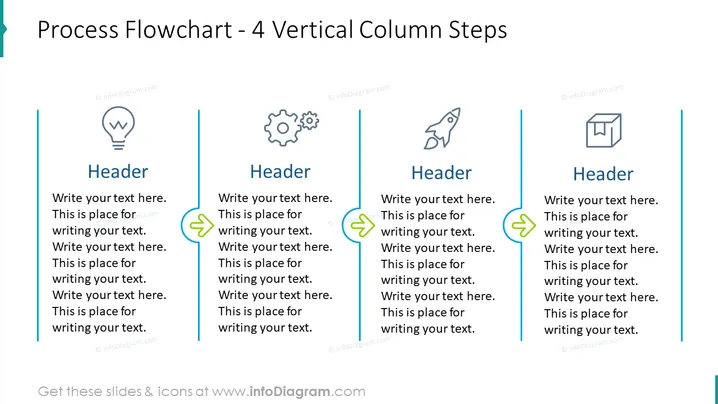
Process Flowchart - 4 Vertical Column Steps
Slide Content
The slide is designed to demonstrate a four-step vertical process flowchart, which is ideal for outlining a sequence of actions or tasks in a workflow. Each column represents a separate step, headlined with "Header," followed by placeholder text where explanatory details can be inserted to describe the specific phase of the process. The design suggests an informative yet simplistic approach to breaking down complex procedures into manageable parts.
Graphical Look
- A large, bold title "Process Flowchart – 4 Vertical Column Steps" centered at the top of the slide in dark text.
- Four vertical columns, evenly spaced across the slide, each containing:
- An icon at the top, symbolizing different stages or ideas (light bulb, gears, rocket, box).
- A sub-header "Header" in bold, set above placeholder text.
- Connecting lines with arrowheads between columns, indicating the flow from one step to the next.
- A teal-colored decorative vertical stripe on the left edge of the slide.
- The overall color scheme of the slide is a combination of teal, dark grey, and light blue, which provides a professional and clean aesthetic.
The slide has a crisp and modern design with a clear visual hierarchy that guides the viewer through the process steps. The icons add a visual element to aid in quickly communicating the concept of each step.
Use Cases
- Presenting a project timeline or roadmap in business meetings.
- Explaining the stages of product development during a conference presentation.
- Outlining company procedures or workflows in a training or orientation session.
- Illustrating a step-by-step guide for a process improvement initiative to stakeholders.
How to Edit
How to edit text & colors

How to expand / shorten diagram

How to Replace Icons in infoDiagram PPT


