
Reviews
Vos graphiques ajoutent une belle touche à mes présentations et je les ai récemment utilisés pour l'une de mes réunions générales. Votre boîte à outils ajoute du professionnalisme à mes diapositives. Au lieu d'utiliser des cliparts standards.
J'avais besoin d'un nouveau regard sur certaines de mes diapositives. J'ai essayé de trouver un moyen de créer un effet de pinceau, de souligner, d'accentuer, d'ajouter de la couleur et les marqueurs manuscrits étaient exactement ce qu'il fallait. Très facile à utiliser, facile à ajuster la taille, à changer la couleur. C'était une solution abordable et parfaite et je suis heureux de la recommander.
L'aspect net et épuré des graphiques, et le fait qu'il m'ait permis d'éditer et de changer facilement les couleurs pour les adapter au modèle, ont été les principales raisons de mon achat.
Description
Process Flowchart - 4 Vertical Column Steps
Slide Content
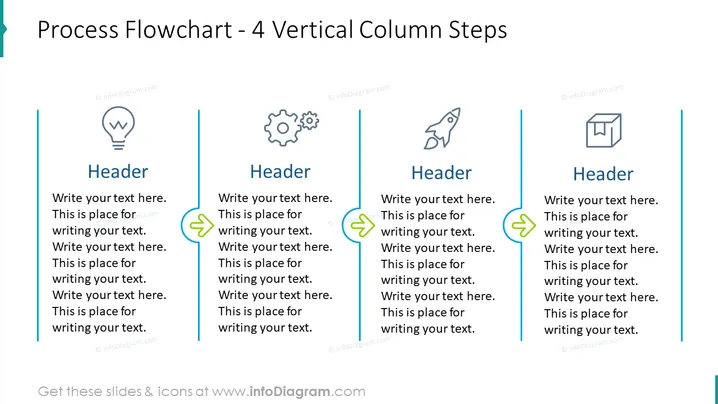
The slide is designed to demonstrate a four-step vertical process flowchart, which is ideal for outlining a sequence of actions or tasks in a workflow. Each column represents a separate step, headlined with "Header," followed by placeholder text where explanatory details can be inserted to describe the specific phase of the process. The design suggests an informative yet simplistic approach to breaking down complex procedures into manageable parts.
Graphical Look
- A large, bold title "Process Flowchart – 4 Vertical Column Steps" centered at the top of the slide in dark text.
- Four vertical columns, evenly spaced across the slide, each containing:
- An icon at the top, symbolizing different stages or ideas (light bulb, gears, rocket, box).
- A sub-header "Header" in bold, set above placeholder text.
- Connecting lines with arrowheads between columns, indicating the flow from one step to the next.
- A teal-colored decorative vertical stripe on the left edge of the slide.
- The overall color scheme of the slide is a combination of teal, dark grey, and light blue, which provides a professional and clean aesthetic.
The slide has a crisp and modern design with a clear visual hierarchy that guides the viewer through the process steps. The icons add a visual element to aid in quickly communicating the concept of each step.
Use Cases
- Presenting a project timeline or roadmap in business meetings.
- Explaining the stages of product development during a conference presentation.
- Outlining company procedures or workflows in a training or orientation session.
- Illustrating a step-by-step guide for a process improvement initiative to stakeholders.
How to Edit
How to edit text & colors

How to expand / shorten diagram

How to Replace Icons in infoDiagram PPT


