
Reviews
Your graphics add a nice touch to my presentations and I recently used them for one of my all-hands meetings. Your toolbox adds professionalism to my slides. Instead of using standard clipart.
I needed a fresh look at some of my slides. I've tried to find a way to create a paintbrush effect, to underline, accentuate, add some color and the handwritten markers were just the things. Very easy to use, easy to size, change the color. It was an affordable, perfect solution and I'm happy to recommend it.
The crisp, clean look of the graphics, and the fact that it allowed me to easily edit and change the colors to match the template was my main reason for purchasing them.
Description
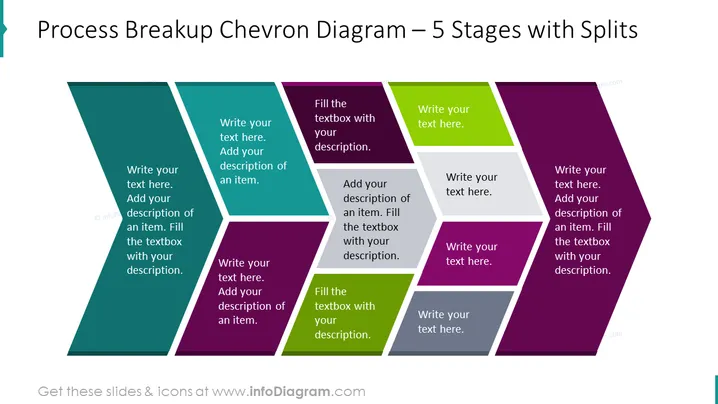
Process Breakup Chevron Diagram – 5 Stages with Splits
Slide Content
The PowerPoint slide titled "Process Breakup Chevron Diagram – 5 Stages with Splits" likely presents a method to diagrammatically break down a process into five distinct stages. Each chevron represents a step with space to add a description, indicating the user can customize the slide with specific information about each stage of the process—expressing sequence, progress, or chronological order.
Graphical Look
- The slide features a chevron diagram consisting of five adjacent, arrow-shaped elements that form a sequence from left to right.
- Each chevron is a different color: teal, blue, purple, green, and maroon, creating a visually distinct separation of stages.
- Every chevron contains two areas for text: a larger font size for the title and a smaller one for the description or details.
- The colors of the chevrons are gradient, giving depth and a 3D-like effect to the shapes.
- The overall visual structure is horizontal, emphasizing progression or flow.
The slide has a modern and clean appearance with a clear structure that facilitates visual guidance through the stages of a process.
Use Cases
- Presenting project timelines, where each chevron could represent a phase in the project development.
- Outlining a business process, with each stage representing a specific step in an operational workflow.
- Demonstrating product development stages, from ideation to market launch.
- Showcasing the flow of information or tasks through different departments in an organization.
How to Edit
How to edit text & colors

How to expand / shorten diagram

How to Replace Icons in infoDiagram PPT


