

Your graphics add a nice touch to my presentations and I recently used them for one of my all-hands meetings. Your toolbox adds professionalism to my slides. Instead of using standard clipart.
Claude Jones, Director of Engineer, @Walmartlabs, USA

Your graphics add a nice touch to my presentations and I recently used them for one of my all-hands meetings. Your toolbox adds professionalism to my slides. Instead of using standard clipart.
Claude Jones, Director of Engineer, @Walmartlabs, USA
I needed a fresh look at some of my slides. I've tried to find a way to create a paintbrush effect, to underline, accentuate, add some color and the handwritten markers were just the things. Very easy to use, easy to size, change the color. It was an affordable, perfect solution and I'm happy to recommend it.
Anonymous, US
The crisp, clean look of the graphics, and the fact that it allowed me to easily edit and change the colors to match the template was my main reason for purchasing them.
Brandie Jenkins, E-learning Developer, USA
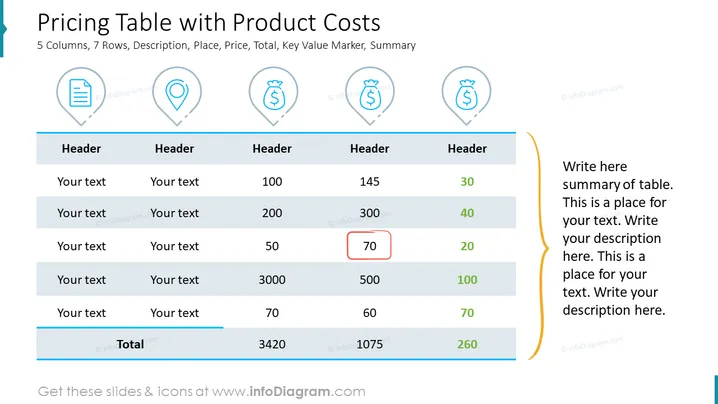
The slide presents a pricing table with product costs, showing a 5 column, 7 row grid with categories like Description, Place, Price, Total, Key Value Marker, and Summary. Each header category is meant for a specific type of data: "Description" for textual information about the item, "Place" to indicate the location or context, "Price" for listing individual prices, "Total" to show the sum of costs, "Key Value Marker" to highlight important data, and "Summary" for concluding remarks or analyses of the overall table content.
The slide's visual design is professional and uses color effectively to organize information and draw attention. Icons and color highlights provide visual cues to the viewer for better understanding and focus.



