
Reviews
Sus gráficos añaden un toque agradable a mis presentaciones y recientemente los usé para una de mis reuniones generales. Su conjunto de herramientas añade profesionalismo a mis diapositivas. En lugar de usar imágenes prediseñadas estándar.
Necesitaba un aspecto fresco para algunas de mis diapositivas. Había intentado encontrar una forma de crear un efecto de pincel, de subrayar, acentuar, añadir algo de color y los marcadores escritos a mano fueron justo lo que necesitaba. Muy fácil de usar, fácil de ajustar el tamaño, cambiar el color. Fue una solución asequible y perfecta, y estoy feliz de recomendarla.
El aspecto nítido y limpio de los gráficos, y el hecho de que me permitiera editar y cambiar fácilmente los colores para que coincidieran con la plantilla fue mi principal razón para comprarlos.
Description
Presentation Table of Content
Plain Text with Picture Template
Slide Content
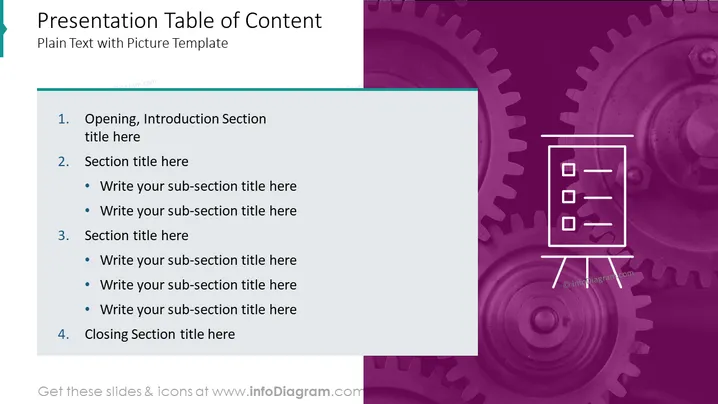
The slide is titled "Presentation Table of Content" and serves as a plain text template for creating a table of contents in a presentation. It outlines four main sections: "Opening, Introduction Section," "Section title here," "Section title here," and "Closing Section title here." Each of the middle sections allows for the addition of sub-section titles, indicating a customizable structure for an organized and detailed presentation layout.
Graphical Look
- The slide background features a split design with white on the left and a purple textured pattern, resembling gears or mechanical parts, on the right.
- A teal, ribbon-like shape slightly overlaps the top left corner of the slide.
- The main content is arranged in a list format using large, bold numerals followed by titles and bullet points for sub-sections, emphasizing hierarchy and organization.
- An outline illustration of a notepad on a stand is located on the right side of the slide, symbolizing the organization, planning, or listing of ideas.
- The color scheme comprises a dominant purple hue with white text and icons, and a pop of teal from the decorative shape at the top left corner, creating a professional and modern aesthetic.
The overall look of the slide is sleek and corporate, with a clear division between text and graphical elements. The use of gears as a background pattern could metaphorically suggest processes, precision, or interconnectivity within the context of the presentation's content.
Use Cases
- Outlining the key sections of a business strategy presentation to provide a roadmap for the audience.
- Organizing the main topics to be discussed during a product launch or project kick-off meeting.
- Setting the agenda for a training session or workshop to guide participants through the planned material.
- Summarizing the chapters of a lengthy corporate report in visual form during an executive summary or board meeting.
How to Edit
How to edit text & colors

How to expand / shorten diagram

How to Replace Icons in infoDiagram PPT


