
Reviews
Ihre Grafiken verleihen meinen Präsentationen eine nette Note, und ich habe sie kürzlich für eines meiner All-Hands-Meetings verwendet. Ihre Toolbox verleiht meinen Folien Professionalität, anstatt Standard-Clipart zu verwenden.
Ich brauchte einen neuen Blick auf einige meiner Folien. Ich habe versucht, einen Weg zu finden, einen Pinselschlag-Effekt zu erzielen, um zu unterstreichen, hervorzuheben, Farbe hinzuzufügen, und die handgeschriebenen Markierungen waren genau das Richtige. Sehr einfach zu bedienen, leicht in der Größe zu ändern, die Farbe zu ändern. Es war eine erschwingliche, perfekte Lösung und ich empfehle sie gerne weiter.
Die klare, saubere Optik der Grafiken und die Tatsache, dass ich die Farben leicht bearbeiten und an die Vorlage anpassen konnte, war mein Hauptgrund für den Kauf.
Description
TITLE
Place your text here. Your text here.
Slide Content
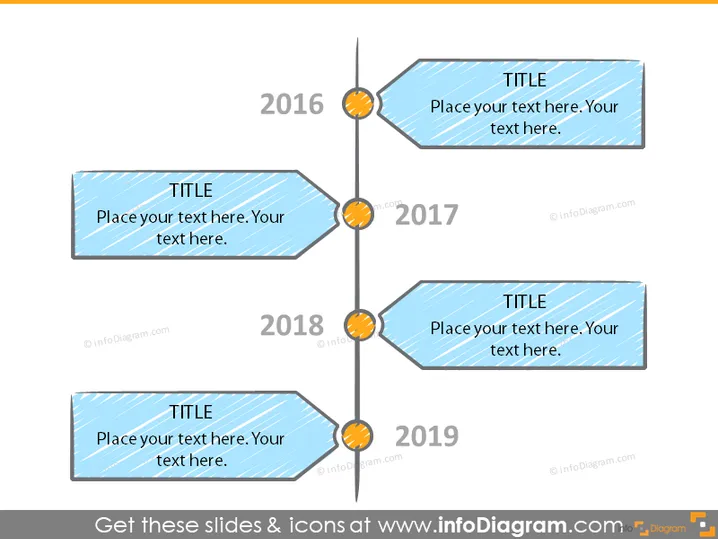
The PowerPoint slide presents a timeline format with four stylized nodes representing the years 2016, 2017, 2018, and 2019. Each year is marked with a title and placeholder text for additional information. The nodes suggest various points in a sequence, indicating milestones, progress points, or events over the four-year period. Each node is connected with a vertical line, symbolizing a continuous chronological flow.
Graphical Look
- Four parallelogram-shaped text boxes with blue textured fill and a slight rightward tilt serve as the main graphic elements where titles and text can be placed.
- Each text box has the word "TITLE" in bold white font at the top and body text in a standard font below.
- A central vertical grey line connects all four text boxes, emphasizing the timeline's continuity.
- Four circular orange and yellow gradient orbs with an outward radiating pattern are aligned along the central line, each adjacent to a text box, linking to a corresponding year labeled in a bold black font on the left.
- The slide has a clean white background providing contrast and making the elements stand out.
The overall look of the slide is striking and organized, using color and shape to differentiate and draw attention to specific elements. The design is modern and engaging, with a clear visual representation of progression over time.
Use Cases
- Illustrating company milestones or achievements over a specific time period during an annual general meeting or shareholder presentation.
- Highlighting phases of a project or product development in a business strategy or planning meeting.
- Communicating historical growth or chronological events in a sales pitch to potential clients or partners.
- Providing a visual timeline for training new employees about company history or important events that shaped the organization.
How to Edit
How to edit text & colors

How to expand / shorten diagram

How to Replace Icons in infoDiagram PPT


