
Reviews
Ihre Grafiken verleihen meinen Präsentationen eine nette Note, und ich habe sie kürzlich für eines meiner All-Hands-Meetings verwendet. Ihre Toolbox verleiht meinen Folien Professionalität, anstatt Standard-Clipart zu verwenden.
Ich brauchte einen neuen Blick auf einige meiner Folien. Ich habe versucht, einen Weg zu finden, einen Pinselschlag-Effekt zu erzielen, um zu unterstreichen, hervorzuheben, Farbe hinzuzufügen, und die handgeschriebenen Markierungen waren genau das Richtige. Sehr einfach zu bedienen, leicht in der Größe zu ändern, die Farbe zu ändern. Es war eine erschwingliche, perfekte Lösung und ich empfehle sie gerne weiter.
Die klare, saubere Optik der Grafiken und die Tatsache, dass ich die Farben leicht bearbeiten und an die Vorlage anpassen konnte, war mein Hauptgrund für den Kauf.
Description
Presentation Agenda - Section Side Navigation Bar
Slide Content
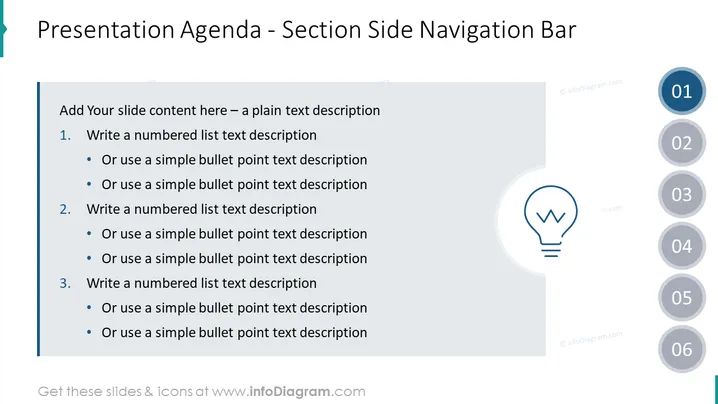
The slide is titled "Presentation Agenda - Section Side Navigation Bar" and is designed to help presenters outline the agenda for their presentation with a side navigation bar format. The slide provides a structure for adding content, with numbered and bulleted list formats to detail each section of the presentation. It suggests using simple bullet points for each item, which means the key points are to be concise and directly associated with each section number.
Graphical Look
- The slide background is white with a grey-toned overlay on the right side, creating a space for a side navigation bar.
- The title of the slide is in black, located at the top left.
- A large, semi-transparent light bulb icon is centered on the right side of the slide within the grey overlay.
- A vertical series of six circles are aligned to the right of the slide, each containing a number from 01 to 06, suggesting a step or section in the agenda.
- The circles are colored in gradients of blue, with the first being the most vivid and the last being the lightest, likely indicating a progression.
- There is a blue vertical bar to the left of the main content area that visually ties to the section titles.
The slide is designed with a clean and professional aesthetic, utilizing a simple color palette dominated by blue, grey, and black. The side navigation bar with numbered circles provides a clear visual path for the agenda of a presentation.
Use Cases
- To outline the key points or sections of a business presentation, providing the audience with an easy-to-follow roadmap.
- In educational settings, to summarize the lesson plan or lecture topics, guiding both the presenter and students through the content.
- During conferences or seminars, to display the agenda for each session, helping attendees understand the flow of events.
- For project status updates, to visually represent the progress and next steps, clarifying the project timeline and milestones.
How to Edit
How to edit text & colors

How to expand / shorten diagram

How to Replace Icons in infoDiagram PPT


