
Reviews
Ihre Grafiken verleihen meinen Präsentationen eine nette Note, und ich habe sie kürzlich für eines meiner All-Hands-Meetings verwendet. Ihre Toolbox verleiht meinen Folien Professionalität, anstatt Standard-Clipart zu verwenden.
Ich brauchte einen neuen Blick auf einige meiner Folien. Ich habe versucht, einen Weg zu finden, einen Pinselschlag-Effekt zu erzielen, um zu unterstreichen, hervorzuheben, Farbe hinzuzufügen, und die handgeschriebenen Markierungen waren genau das Richtige. Sehr einfach zu bedienen, leicht in der Größe zu ändern, die Farbe zu ändern. Es war eine erschwingliche, perfekte Lösung und ich empfehle sie gerne weiter.
Die klare, saubere Optik der Grafiken und die Tatsache, dass ich die Farben leicht bearbeiten und an die Vorlage anpassen konnte, war mein Hauptgrund für den Kauf.
Description
Precision
Slide Content
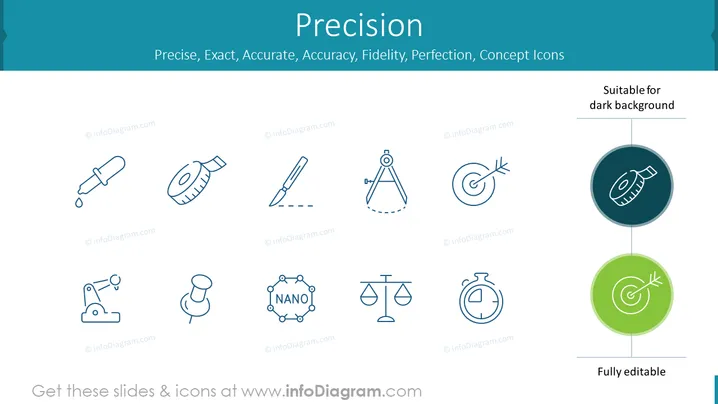
The PowerPoint slide titled "Precision" illustrates the concept of exactness and accuracy through a series of icons associated with meticulousness and precision. These icons symbolize different aspects of precision such as measurement tools (a dropper, a tape measure, and a compass), scientific accuracy (a microscope, a nano-structure, and scales), and time precision (a stopwatch). Each graphic represents a field where precision is paramount, from laboratory research, engineering, and manufacturing to scientific discovery and time management.
Graphical Look
- The background color is a light teal gradient, lightest at the top and gradually becoming more saturated towards the bottom.
- There are nine outlined icons evenly distributed across the slide, all sharing a consistent line style and design.
- Each icon is labeled with a copyright sign and the identifier "infoDiagram.com."
- The main title "Precision" is prominently displayed in large, bold font at the top center of the slide.
- Under the title, there is a subtitle with keywords in smaller font, describing qualities related to precision: "Precise, Exact, Accurate, Accuracy, Fidelity, Perfection, Concept Icons."
- The top right corner of the slide mentions that the icons are "Suitable for dark background."
- Two highlighted icons at the right are encircled with backdrops—one dark teal and one green, indicating customizability for different backgrounds, and labeled as "Fully editable."
The slide features a clean, minimalist design with a professional appearance. The use of flat icons and simple lines gives it a modern feel, suitable for a wide range of presentation contexts.
Use Cases
- To explain the importance of precision and accuracy in scientific research or engineering during an academic or industry conference.
- In a business presentation to emphasize meticulous planning, product design, or quality control processes.
- Within an educational setting to introduce concepts related to measurement, accuracy, and scientific investigation.
- As part of a workshop or training session focused on improving work processes, showcasing the significance of attention to detail and exactness in various tasks.
How to Edit
How to edit text & colors

How to expand / shorten diagram

How to Replace Icons in infoDiagram PPT


