

Your graphics add a nice touch to my presentations and I recently used them for one of my all-hands meetings. Your toolbox adds professionalism to my slides. Instead of using standard clipart.
Claude Jones, Director of Engineer, @Walmartlabs, USA

Your graphics add a nice touch to my presentations and I recently used them for one of my all-hands meetings. Your toolbox adds professionalism to my slides. Instead of using standard clipart.
Claude Jones, Director of Engineer, @Walmartlabs, USA
I needed a fresh look at some of my slides. I've tried to find a way to create a paintbrush effect, to underline, accentuate, add some color and the handwritten markers were just the things. Very easy to use, easy to size, change the color. It was an affordable, perfect solution and I'm happy to recommend it.
Anonymous, US
The crisp, clean look of the graphics, and the fact that it allowed me to easily edit and change the colors to match the template was my main reason for purchasing them.
Brandie Jenkins, E-learning Developer, USA
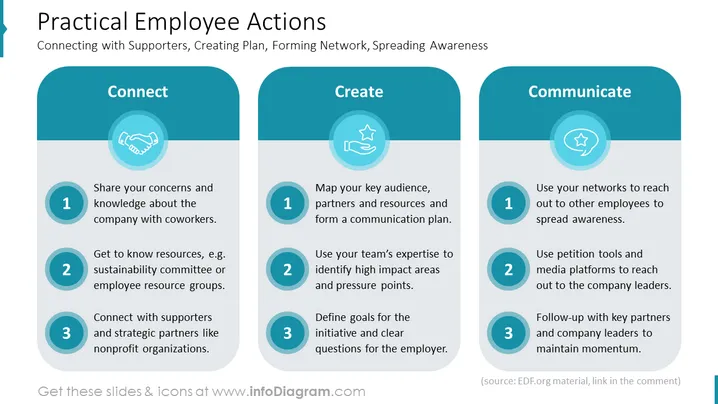
The topic of the slide is "Practical Employee Actions," with a focus on "Connecting with Supporters, Creating Plan, Forming Network, Spreading Awareness." The slide is structured into three key action areas: Connect, Create, and Communicate. "Connect" involves sharing concerns with coworkers, knowing resource groups like sustainability committees, and connecting with supporters and strategic nonprofit partners. "Create" is about mapping key audiences and forming communication plans, using expertise to identify high-impact areas, and defining clear initiative goals. "Communicate" encompasses using networks to spread awareness, employing petition tools and media platforms to reach leaders, and maintaining momentum through follow-ups.
The slide features a clean and structured design with engaging icons that visually separate and define each section. The use of consistent rounded shapes and color tones creates a harmonious and clear presentation of information.



