
Reviews
Ihre Grafiken verleihen meinen Präsentationen eine nette Note, und ich habe sie kürzlich für eines meiner All-Hands-Meetings verwendet. Ihre Toolbox verleiht meinen Folien Professionalität, anstatt Standard-Clipart zu verwenden.
Ich brauchte einen neuen Blick auf einige meiner Folien. Ich habe versucht, einen Weg zu finden, einen Pinselschlag-Effekt zu erzielen, um zu unterstreichen, hervorzuheben, Farbe hinzuzufügen, und die handgeschriebenen Markierungen waren genau das Richtige. Sehr einfach zu bedienen, leicht in der Größe zu ändern, die Farbe zu ändern. Es war eine erschwingliche, perfekte Lösung und ich empfehle sie gerne weiter.
Die klare, saubere Optik der Grafiken und die Tatsache, dass ich die Farben leicht bearbeiten und an die Vorlage anpassen konnte, war mein Hauptgrund für den Kauf.
Description
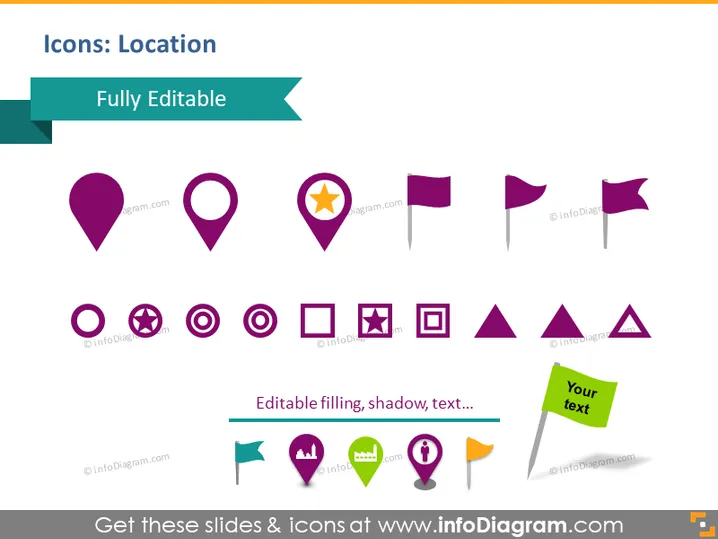
Icons: Location
Slide Content
The slide is about various location-based icons that are fully editable. It showcases different styles of map pins, a flag icon, and various geometric shapes. Each icon is designed to represent different location concepts, such as standard place markers, a highlighted location with a star, directional flags, warnings, and informational cues. The slide indicates that you can customize these icons with editable fillings, shadows, and text, allowing them to fit into different presentation contexts and styles.
Graphical Look
- The slide has a clean, white background.
- A dark turquoise banner with the slide title "Icons: Location" spans the top left corner.
- Beneath the banner is a light turquoise ribbon labeled "Fully Editable."
- A variety of icons are displayed in two rows.
- The top row features map pin icons in different styles: plain, with a star, circular icons with various signs (forbidden, pause, play, and a square outline), and directional flags.
- The bottom row shows a small palette icon with labels like "Editable filling, shadow, text...", along with other icons such as speech bubble, light bulb, person, and chat symbols, each with its unique color and design.
- The icons are set against a contrasting shadow effect, adding depth.
- There is one icon with an attached textbox saying "Your text," suggesting customization.
- The icons utilize a consistent color palette of purple, dark yellow, green, and light blue.
The slide has a modern, professional appearance with vibrant icons that are designed in a flat graphic style. It is visually appealing and neatly organized, with clear delineation between customizable icon options.
Use Cases
- In marketing presentations to highlight customer hotspots or target areas.
- For logistics briefings to mark warehouse locations, transit routes, or distribution points.
- During app or website development overviews to showcase various features related to mapping or user location services.
- In tourism and events management to indicate points of interest, venue locations, or tour paths.
How to Edit
How to edit text & colors

How to expand / shorten diagram

How to Replace Icons in infoDiagram PPT


