
Reviews
Vos graphiques ajoutent une belle touche à mes présentations et je les ai récemment utilisés pour l'une de mes réunions générales. Votre boîte à outils ajoute du professionnalisme à mes diapositives. Au lieu d'utiliser des cliparts standards.
J'avais besoin d'un nouveau regard sur certaines de mes diapositives. J'ai essayé de trouver un moyen de créer un effet de pinceau, de souligner, d'accentuer, d'ajouter de la couleur et les marqueurs manuscrits étaient exactement ce qu'il fallait. Très facile à utiliser, facile à ajuster la taille, à changer la couleur. C'était une solution abordable et parfaite et je suis heureux de la recommander.
L'aspect net et épuré des graphiques, et le fait qu'il m'ait permis d'éditer et de changer facilement les couleurs pour les adapter au modèle, ont été les principales raisons de mon achat.
Description
PowerPoint Editable Resume Graphics
Slide Content
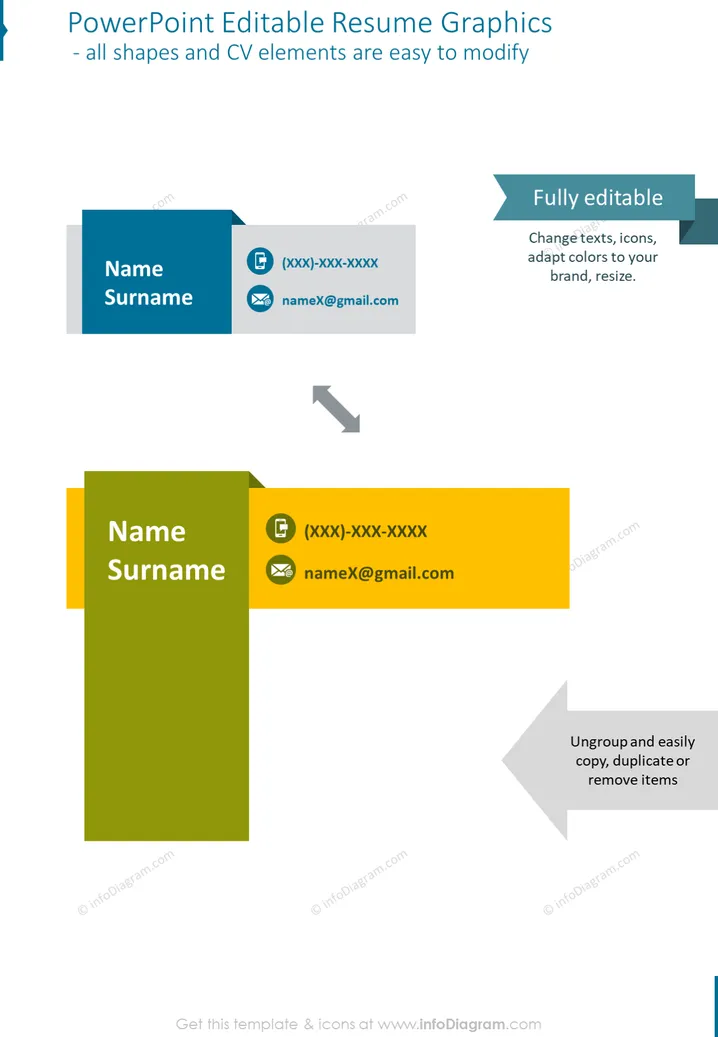
The PowerPoint slide presents a concept for customizable resume graphics that can easily be edited. The graphics are designed to showcase personal contact information through a visually appealing interface. "Name Surname" placeholders suggest where individual personalization can occur. There are two representations, one horizontal and one vertical, each containing placeholders for a phone number and an email address. These elements underscore the slide's primary function as a tool for personal branding and contact information display.
Graphical Look
- The slide has a clean and modern design with two primary color blocks—one in blue and the other in yellow-green—displaying example contact information.
- Both color blocks feature a white text placeholder for "Name Surname," suggesting where the user's information will go.
- There are icons for a phone and an email next to placeholders, indicating where to add contact details.
- The slide contains directional arrows with text captions "Fully editable" and "Ungroup and easily copy, duplicate or remove items," implying that the graphics are customizable.
- The design elements are simple, with a sans-serif font that enhances readability.
- Rendered drop shadows give a slight three-dimensional effect to the color blocks, increasing visual interest.
The overall look is professional and minimalist, with a focus on functionality and ease of customization. The contrasting colors draw attention to the key areas where personal information is to be inserted.
Use Cases
- Creating visually engaging personal profiles for resume presentations in job interviews or networking events.
- Designing business cards or contact information slides for professional portfolios presented in digital formats.
- Customizing presentation slides for professional profiles in corporate or team introduction presentations.
- Enhancing personal branding in workshops, webinars, or personal introduction segments within larger presentations.
How to Edit
How to edit text & colors

How to expand / shorten diagram

How to Replace Icons in infoDiagram PPT


