
Reviews
Ihre Grafiken verleihen meinen Präsentationen eine nette Note, und ich habe sie kürzlich für eines meiner All-Hands-Meetings verwendet. Ihre Toolbox verleiht meinen Folien Professionalität, anstatt Standard-Clipart zu verwenden.
Ich brauchte einen neuen Blick auf einige meiner Folien. Ich habe versucht, einen Weg zu finden, einen Pinselschlag-Effekt zu erzielen, um zu unterstreichen, hervorzuheben, Farbe hinzuzufügen, und die handgeschriebenen Markierungen waren genau das Richtige. Sehr einfach zu bedienen, leicht in der Größe zu ändern, die Farbe zu ändern. Es war eine erschwingliche, perfekte Lösung und ich empfehle sie gerne weiter.
Die klare, saubere Optik der Grafiken und die Tatsache, dass ich die Farben leicht bearbeiten und an die Vorlage anpassen konnte, war mein Hauptgrund für den Kauf.
Description
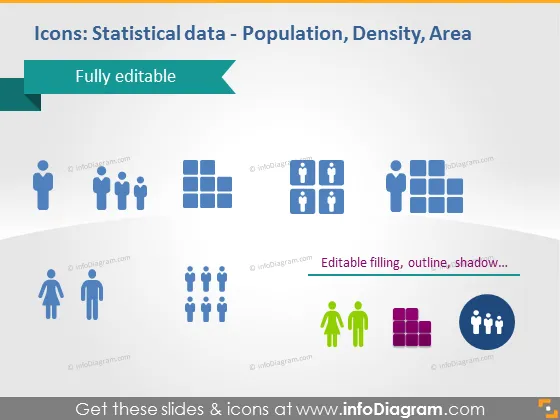
Icons: Statistical data - Population, Density, Area
Slide Content
The PowerPoint slide provides a collection of icons that represent statistical data, specifically related to population, density, and area. Each icon set represents a different statistical concept: individual person icons imply population count, grouped squares suggest population density, and a combination of person and location icons could denote the area representation of population spread. The text "Fully editable" indicates that these icons can be customized.
Graphical Look
- A pale turquoise banner across the top with white text indicating the slide title.
- Below the banner, a dark teal arrow pointing to the "Fully editable" label, suggesting the icons can be changed as per user needs.
- A collection of flat-style icons in different configurations and colors, each representing a statistical concept:
- Person icons in blue, some grouped to represent population statistics.
- Squares grouped together in two shades of blue, symbolizing density metrics.
- Combining person and location marker icons in blue, indicating area-related data.
- Individuals depicted in varying colors, possibly showing demographic diversity or segmentation data.
- Bar graph icon in purple, representing quantitative comparison or growth.
- Group of people with a speech bubble icon in blue, possibly illustrating communication or social network analysis.
- The icons are evenly spaced and sized, creating a harmonious visual grid.
- The icons feature a subtle shadow effect to give a slight three-dimensional feel.
- The descriptive text, "Editable filling, outline, shadow…" at the bottom, is a call to action, indicating that these properties of the icons can be modified.
The slide has a clean and modern look, with a professional color scheme and straightforward iconography. The elements are designed for easy interpretation and adaptability to various presentation contexts.
Use Cases
- To visually represent demographic data within a business or marketing plan.
- To enhance reports or presentations involving urban planning or population statistics.
- For creating educational materials that require visual aids to explain statistical concepts in sociology or economics.
- In data-driven decision-making meetings where visual representation of stats can aid in comprehension and analysis.
How to Edit
How to edit text & colors

How to expand / shorten diagram

How to Replace Icons in infoDiagram PPT


