
Reviews
Sus gráficos añaden un toque agradable a mis presentaciones y recientemente los usé para una de mis reuniones generales. Su conjunto de herramientas añade profesionalismo a mis diapositivas. En lugar de usar imágenes prediseñadas estándar.
Necesitaba un aspecto fresco para algunas de mis diapositivas. Había intentado encontrar una forma de crear un efecto de pincel, de subrayar, acentuar, añadir algo de color y los marcadores escritos a mano fueron justo lo que necesitaba. Muy fácil de usar, fácil de ajustar el tamaño, cambiar el color. Fue una solución asequible y perfecta, y estoy feliz de recomendarla.
El aspecto nítido y limpio de los gráficos, y el hecho de que me permitiera editar y cambiar fácilmente los colores para que coincidieran con la plantilla fue mi principal razón para comprarlos.
Description
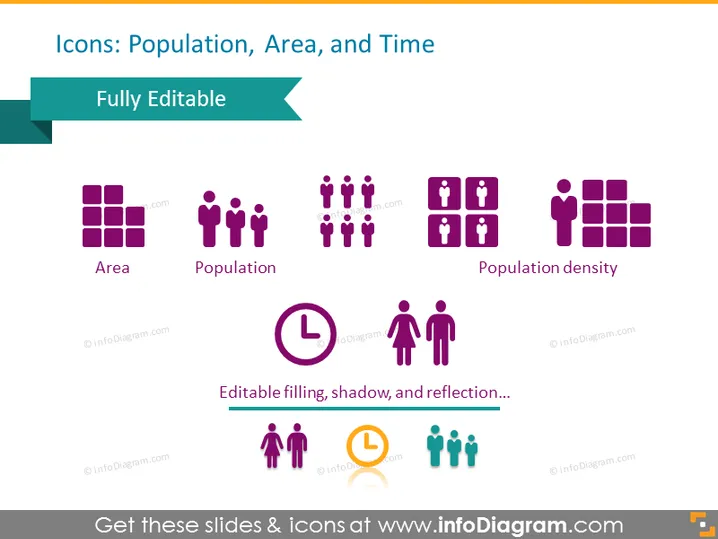
Icons: Population, Area, and Time
Slide Content
This PowerPoint slide is designed to present icons associated with the concepts of population, area, and time. "Area" is symbolized with a grid, indicating a sectioned space or a location. "Population" is represented by a group of figures, reflecting the number of individuals within a population. "Population density" is depicted with a packed group of figures next to a grid, illustrating the ratio of people to space. An editable clock icon highlights the aspect of time, suggesting a temporal measurement or duration. The slide emphasizes that these icons are fully editable, allowing customization such as filling, shadow effects, and reflection.
Graphical Look
- The slide has a clean white background, providing a neutral canvas for the content.
- A teal ribbon at the top contains the slide title in white text.
- Below the ribbon, there's an additional text tag that says "Fully Editable" in a light green banner.
- There are three rows with icon and text combinations.
- The first row features three different icon sets for "Area," "Population," and "Population density," each with a descriptive label beneath.
- The second row contains a single large clock icon with the text "Editable filling, shadow, and reflection..." beneath it.
- The third row has an example of a colored icon set with two standard silhouettes and one highlighted in orange, also with a descriptive label beneath.
- All icons and text labels are centered on the slide, creating a balanced and organized appearance.
The overall visual composition of the slide is professional and uncluttered with a harmonious color scheme of purples and teals complementing the white background. The icons are simple yet descriptive, conveying their respective concepts effectively.
Use Cases
- To illustrate demographic and geographic data points in a business or marketing presentation.
- In educational materials to explain concepts related to human geography or urban planning.
- Within reports or infographics that require visual representations of statistical data.
- For enhancing visual interest in slides detailing time management, project scheduling, or deadlines in a corporate setting.
How to Edit
How to edit text & colors

How to expand / shorten diagram

How to Replace Icons in infoDiagram PPT


