
Reviews
Your graphics add a nice touch to my presentations and I recently used them for one of my all-hands meetings. Your toolbox adds professionalism to my slides. Instead of using standard clipart.
I needed a fresh look at some of my slides. I've tried to find a way to create a paintbrush effect, to underline, accentuate, add some color and the handwritten markers were just the things. Very easy to use, easy to size, change the color. It was an affordable, perfect solution and I'm happy to recommend it.
The crisp, clean look of the graphics, and the fact that it allowed me to easily edit and change the colors to match the template was my main reason for purchasing them.
Description
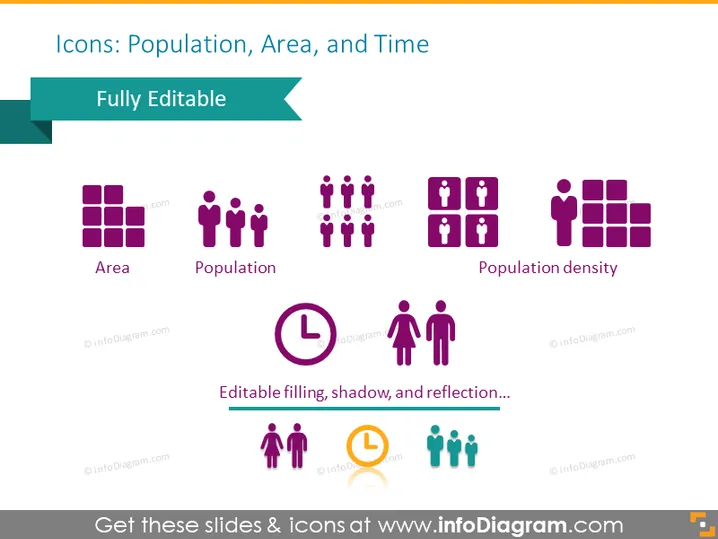
Icons: Population, Area, and Time
Slide Content
The slide presents a set of graphical icons related to demography and time management concepts. "Area" is represented by a grid of squares, symbolizing geographical zoning. "Population" is denoted by a group of human figures, conveying the concept of people in a society. "Population density" combines the ideas of area and population through a compact arrangement of human figures next to squares. Below, a clock icon signifies "Time," and a duo of human figures represents "Population growth" or change over time. Additional text suggests that the icons feature editable filling, shadow, and reflection effects.
Graphical Look
- A large title at the top in bold, dark text against a light background.
- A subtitle text "Fully Editable" in a teal ribbon banner overlaying the title.
- Three sets of icons:
- "Area" featuring four purple squares in a grid pattern.
- "Population" showing six human figures in purple.
- "Population density" illustrating human figures interspaced with square patterns.
- The lower section has two more icons:
- A purple clock with a white face indicating "Time".
- Two human figures, one purple and one orange, along with a smaller orange clock symbol.
- A note below the icons stating, "Editable filling, shadow, and reflection..."
- All icons are placed against a clean, white slide background for contrast.
The slide has a modern and clean design, suitable for professional presentations. The icons are stylized and minimalist, created with a consistent color scheme that allows for easy interpretation.
Use Cases
- To summarize demographic statistics in a business or marketing presentation.
- For illustrating time management or scheduling topics in a project management meeting.
- As visual aids in educational materials discussing population geography or urban planning.
- In data visualization components for reports or infographics displaying demographic research or trends.
How to Edit
How to edit text & colors

How to expand / shorten diagram

How to Replace Icons in infoDiagram PPT


