
Reviews
Sus gráficos añaden un toque agradable a mis presentaciones y recientemente los usé para una de mis reuniones generales. Su conjunto de herramientas añade profesionalismo a mis diapositivas. En lugar de usar imágenes prediseñadas estándar.
Necesitaba un aspecto fresco para algunas de mis diapositivas. Había intentado encontrar una forma de crear un efecto de pincel, de subrayar, acentuar, añadir algo de color y los marcadores escritos a mano fueron justo lo que necesitaba. Muy fácil de usar, fácil de ajustar el tamaño, cambiar el color. Fue una solución asequible y perfecta, y estoy feliz de recomendarla.
El aspecto nítido y limpio de los gráficos, y el hecho de que me permitiera editar y cambiar fácilmente los colores para que coincidieran con la plantilla fue mi principal razón para comprarlos.
Description
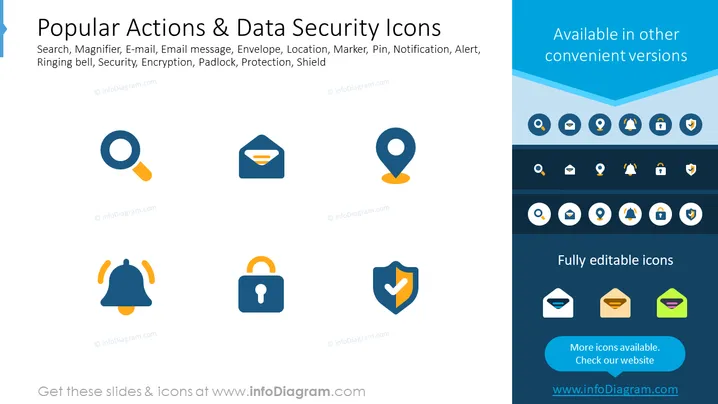
Popular Actions & Data Security Icons
Slide Content
The slide is titled "Popular Actions & Data Security Icons" and presents a collection of graphical icons representing various actions and security concepts. The specific icons include a search magnifier symbolizing search functionality, an e-mail icon for email communication, and a ringing bell for notifications or alerts. Security-related icons such as a padlock for encryption or security, and a shield for protection, imply a focus on safety and privacy features.
Graphical Look
- A light blue header with the slide title in bold, white font centered horizontally.
- A subtitle in a smaller font, listing keywords associated with the icons: Search, Magnifier, E-mail, etc.
- Two rows of icons in the central part of the slide, with each icon representing a different action or aspect of data security.
- Icons are a combination of blue, orange, and white, creating a contrast that is visually appealing.
- The background of the slide is a gradient from light to darker shades of blue.
- A blue banner across the bottom, accentuating the lighter background and containing the text "Fully editable icons" and a directional cue to check the website for more icons.
The overall look of the slide is modern and professional, with a clean design that uses color contrast to make individual elements stand out. The icons are stylized and simplistic, ensuring focus on the concept each represents.
Use Cases
- To illustrate different features or functionalities in software or a mobile app during a presentation.
- For summarizing security features in a company's service offering when pitching to potential clients or partners.
- In training materials to visually represent actions like searching, emailing, or ensuring data security.
- During a design meeting, to discuss and select icons for use within a user interface or website design project.
How to Edit
How to edit text & colors

How to expand / shorten diagram

How to Replace Icons in infoDiagram PPT


