
Reviews
Your graphics add a nice touch to my presentations and I recently used them for one of my all-hands meetings. Your toolbox adds professionalism to my slides. Instead of using standard clipart.
I needed a fresh look at some of my slides. I've tried to find a way to create a paintbrush effect, to underline, accentuate, add some color and the handwritten markers were just the things. Very easy to use, easy to size, change the color. It was an affordable, perfect solution and I'm happy to recommend it.
The crisp, clean look of the graphics, and the fact that it allowed me to easily edit and change the colors to match the template was my main reason for purchasing them.
Description
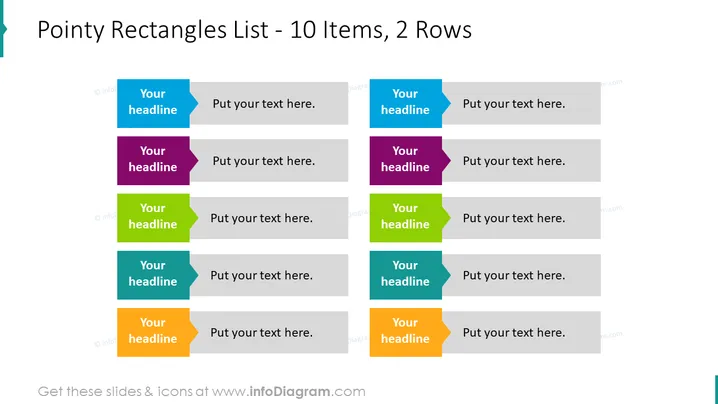
Pointy Rectangles List - 10 Items, 2 Rows
Slide Content
The slide is designed to showcase a list of 10 items distributed across two rows. Each item is labeled 'Your headline' followed by placeholder text 'Put your text here.', inviting the presenter to customize the content. These items can represent steps, options, or any categorized information, having individual colorful pointers indicating their distinctiveness. The dual-row configuration allows for a clear comparison or a sequential flow of information across two parallel tracks.
Graphical Look
- The slide background is plain white, providing a neutral base for the elements.
- There are ten rectangular shapes with pointed ends on the left side, known as chevrons.
- Each chevron has a unique color (alternating between hues of blue, purple, green, and orange) and contains the phrase 'Your headline'.
- Next to each chevron is a gray, narrow rectangle for additional text, which currently holds 'Put your text here.'.
- The chevrons and rectangles are aligned in two horizontal rows of five.
The slide features a simple and clean design, using color-coded chevrons to visually distinguish different items. The pointed ends add dynamism to the design, while the use of space and alignment creates an organized structure.
Use Cases
- Outlining a process flow or steps in a timeline during a project management presentation.
- Comparing two categories of items or ideas in a marketing strategy meeting.
- Listing features or benefits of a product during a sales pitch to potential clients.
- Presenting research findings or survey results, with distinct categories across two different demographics or sample groups.
How to Edit
How to edit text & colors

How to expand / shorten diagram

How to Replace Icons in infoDiagram PPT


