
Reviews
Your graphics add a nice touch to my presentations and I recently used them for one of my all-hands meetings. Your toolbox adds professionalism to my slides. Instead of using standard clipart.
I needed a fresh look at some of my slides. I've tried to find a way to create a paintbrush effect, to underline, accentuate, add some color and the handwritten markers were just the things. Very easy to use, easy to size, change the color. It was an affordable, perfect solution and I'm happy to recommend it.
The crisp, clean look of the graphics, and the fact that it allowed me to easily edit and change the colors to match the template was my main reason for purchasing them.
Description
KEY POINTS
Slide Content
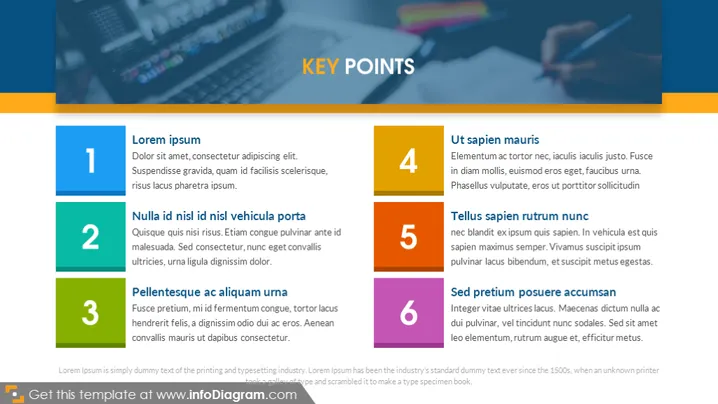
The PowerPoint slide presents a list titled "KEY POINTS" with six key points to discuss. Each point is accompanied by a brief explanation:
- Lorem ipsum - A filler text usually used as a placeholder in design.
- Nulla id nisl id nisl vehicula porta - A phrase likely used to illustrate text layout rather than convey meaningful content.
- Pellentesque ac aliquam urna - Another example of standard dummy text in publishing and graphic design.
- Ut sapien mauris - Serves as a mock-up for content structuring in the slide.
- Tellus sapien rutrum nunc - Stands as a placeholder demonstrating how text will be displayed.
- Sed pretium posuere accumsan - Similar to the other points, it's part of a Lorem Ipsum text set to represent actual content.
Graphical Look
- The title of the slide is in the upper right corner, with a prominent font size and capitalized letters.
- Six colored rectangular shapes act as bullet points, each with a number from one to six.
- Each colored shape is linked to a matching colored text box that contains placeholder text.
- The colors of the bullet points and associated text boxes alternate between shades of blue and orange.
- The slide background features an abstract, blurred photo emphasizing shades of blue and green.
- The font color for the main content is white, creating contrast with the colorful background and shapes.
- There is a thin orange horizontal line separating the title from the rest of the content.
The overall visual composition of the slide is clean, with a harmonious color scheme that differentiates the key points. The use of vibrant rectangles to connect numbers to their corresponding descriptions provides clear and organized information flow.
Use Cases
- Presenting the main takeaways or summaries of a business meeting or workshop.
- Listing product features or benefits in a sales pitch or marketing presentation.
- Organizing agenda points for a team briefing or project update session.
- Highlighting steps or stages in a process overview during an instructional or training presentation.
How to Edit
How to edit text & colors

How to expand / shorten diagram

How to Replace Icons in infoDiagram PPT


