
Reviews
Your graphics add a nice touch to my presentations and I recently used them for one of my all-hands meetings. Your toolbox adds professionalism to my slides. Instead of using standard clipart.
I needed a fresh look at some of my slides. I've tried to find a way to create a paintbrush effect, to underline, accentuate, add some color and the handwritten markers were just the things. Very easy to use, easy to size, change the color. It was an affordable, perfect solution and I'm happy to recommend it.
The crisp, clean look of the graphics, and the fact that it allowed me to easily edit and change the colors to match the template was my main reason for purchasing them.
Description
Playing Cards Types – Outline Icon Symbols
Slide Content
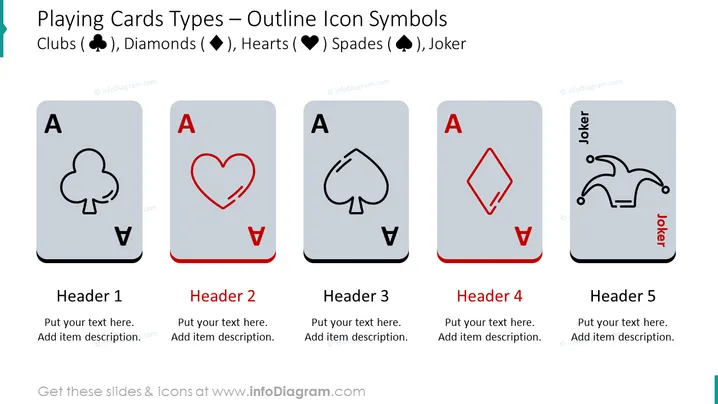
The slide represents the different types of playing cards using outline icons and suits - Clubs, Diamonds, Hearts, Spades, and the Joker. Each card type is presented as a gray card with a large suit icon in the center and the letter 'A' at the top corner, indicating an Ace. Below each card, there are placeholders for a header and additional description, which suggests these icons could serve as metaphorical or thematic representations for various concepts or categories in a presentation.
Graphical Look
- Five stylized representations of playing cards, each with a distinct suit symbol (Clubs, Diamonds, Hearts, Spades, and Joker) in the middle.
- The suit symbols are outlined, with Clubs and Spades in black, and Diamonds and Hearts in red. The Joker symbol is outlined with a combination of black and red.
- Each card has a large letter 'A' in the top left corner, suggesting that they represent aces.
- The background of each card is a gradient of gray, adding depth and making the suit icons stand out.
- Space for text is provided below each card with headings labeled from 'Header 1' to 'Header 5'.
- The text placeholders are ready for customization, indicating they are meant for users to add their specific content.
The slide has a clean, modern design, using a minimalist approach with plenty of white space, which ensures that the icons are the focal point. The use of red and black coloring is consistent with traditional playing card colors, which aids in immediate recognition.
Use Cases
- To categorize different strategies or solutions in a business context, associating each one with a playing card suit to make it more memorable.
- In a team-building presentation to assign roles or groups by using playing card icons as metaphors.
- As an icebreaker slide in a workshop, inviting participants to select a card that resonates with their current mood or objective.
- In marketing presentations to represent different customer segments or product categories creatively, using the card suits to symbolize different attributes or behaviors.
How to Edit
How to edit text & colors

How to expand / shorten diagram

How to Replace Icons in infoDiagram PPT


