
Reviews
Ihre Grafiken verleihen meinen Präsentationen eine nette Note, und ich habe sie kürzlich für eines meiner All-Hands-Meetings verwendet. Ihre Toolbox verleiht meinen Folien Professionalität, anstatt Standard-Clipart zu verwenden.
Ich brauchte einen neuen Blick auf einige meiner Folien. Ich habe versucht, einen Weg zu finden, einen Pinselschlag-Effekt zu erzielen, um zu unterstreichen, hervorzuheben, Farbe hinzuzufügen, und die handgeschriebenen Markierungen waren genau das Richtige. Sehr einfach zu bedienen, leicht in der Größe zu ändern, die Farbe zu ändern. Es war eine erschwingliche, perfekte Lösung und ich empfehle sie gerne weiter.
Die klare, saubere Optik der Grafiken und die Tatsache, dass ich die Farben leicht bearbeiten und an die Vorlage anpassen konnte, war mein Hauptgrund für den Kauf.
Description
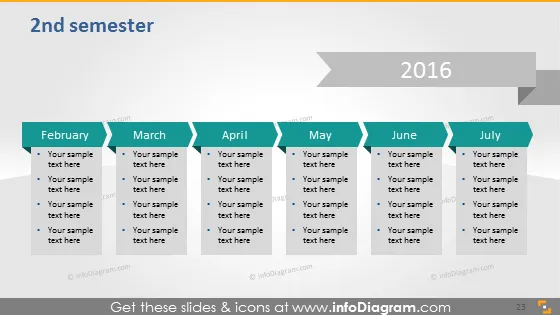
2nd semester
Slide Content
The PowerPoint slide titled "2nd semester" outlines a timeline for the latter half of the year 2016, with months from February to July. It features placeholders for event descriptions or milestones under each month. Each month is denoted as a separate column with bullet points underneath for detailed text entry, suggesting this timeline is to be filled with specific tasks, goals, or events that are significant to the presenter's agenda or project milestones.
Graphical Look
- The slide background is a gradient of gray shades.
- At the top, "2nd semester" is presented in dark grey text.
- The year "2016" appears at the top right within a dark grey, right-arrow-shaped banner.
- Below, six columns represent months from February to July with a light gray header and white space for content.
- Each column has a header with the month's name in white text on a darker background.
- Below the month's headers, there are bullet points for entering text.
- A light grey horizontal arrow runs behind the columns, visually connecting them and indicating a progressive timeline.
- Each column is separated by a small white gap, aiding in differentiation.
The overall look of the slide is clean and business-like, with a neutral color palette. The timeline is visually connected by a subtle arrow, indicating progress throughout the months.
Use Cases
- Tracking project milestones or deadlines over the second half of the year in a business setting.
- Summarizing completed tasks or achievements in a semi-annual company review.
- Planning and presenting marketing or sales strategies for each month of the 2nd semester.
- Providing a visual aid during budget planning meetings to outline financial goals along the timeline.
How to Edit
How to edit text & colors

How to expand / shorten diagram

How to Replace Icons in infoDiagram PPT


