
Reviews
Sus gráficos añaden un toque agradable a mis presentaciones y recientemente los usé para una de mis reuniones generales. Su conjunto de herramientas añade profesionalismo a mis diapositivas. En lugar de usar imágenes prediseñadas estándar.
Necesitaba un aspecto fresco para algunas de mis diapositivas. Había intentado encontrar una forma de crear un efecto de pincel, de subrayar, acentuar, añadir algo de color y los marcadores escritos a mano fueron justo lo que necesitaba. Muy fácil de usar, fácil de ajustar el tamaño, cambiar el color. Fue una solución asequible y perfecta, y estoy feliz de recomendarla.
El aspecto nítido y limpio de los gráficos, y el hecho de que me permitiera editar y cambiar fácilmente los colores para que coincidieran con la plantilla fue mi principal razón para comprarlos.
Description
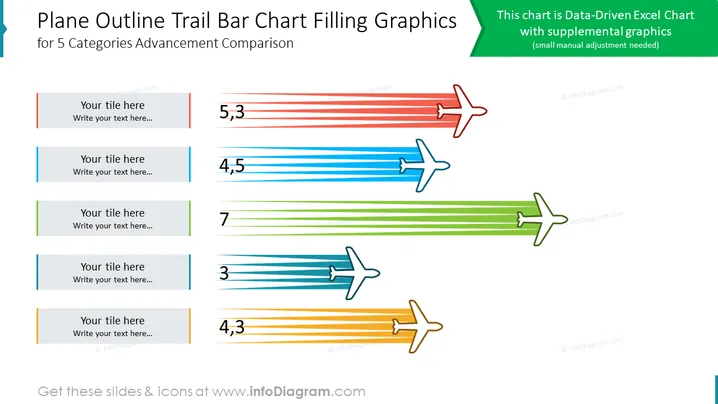
Plane Outline Trail Bar Chart Filling Graphics
Slide Content:
The PowerPoint slide presents a data-driven Excel chart with supplemental graphics. It compares the advancement of five categories. Each category is represented by a bar of varying length, highlighting the relative progress achieved. The bars are adorned with unique colors and accompanied by airplane icons that trail behind them, adding a dynamic element to the presentation.
Graphical Look:
- The slide features a white background.
- The title of the slide is displayed in a large, bold font at the top of the slide.
- The chart is prominently displayed in the center of the slide.
- There are five text boxes.
- The airplane icons are located behind the respective bars.
Use Cases
You can use such a slide in a variety of settings, such as:
- Sales presentations: To compare the sales performance of different products or regions.
- Marketing presentations: To compare the effectiveness of different marketing campaigns.
- Product presentations: To compare the features of different products.
How to Edit
How to edit text & colors

How to expand / shorten diagram

How to Replace Icons in infoDiagram PPT


