
Reviews
Ihre Grafiken verleihen meinen Präsentationen eine nette Note, und ich habe sie kürzlich für eines meiner All-Hands-Meetings verwendet. Ihre Toolbox verleiht meinen Folien Professionalität, anstatt Standard-Clipart zu verwenden.
Ich brauchte einen neuen Blick auf einige meiner Folien. Ich habe versucht, einen Weg zu finden, einen Pinselschlag-Effekt zu erzielen, um zu unterstreichen, hervorzuheben, Farbe hinzuzufügen, und die handgeschriebenen Markierungen waren genau das Richtige. Sehr einfach zu bedienen, leicht in der Größe zu ändern, die Farbe zu ändern. Es war eine erschwingliche, perfekte Lösung und ich empfehle sie gerne weiter.
Die klare, saubere Optik der Grafiken und die Tatsache, dass ich die Farben leicht bearbeiten und an die Vorlage anpassen konnte, war mein Hauptgrund für den Kauf.
Description
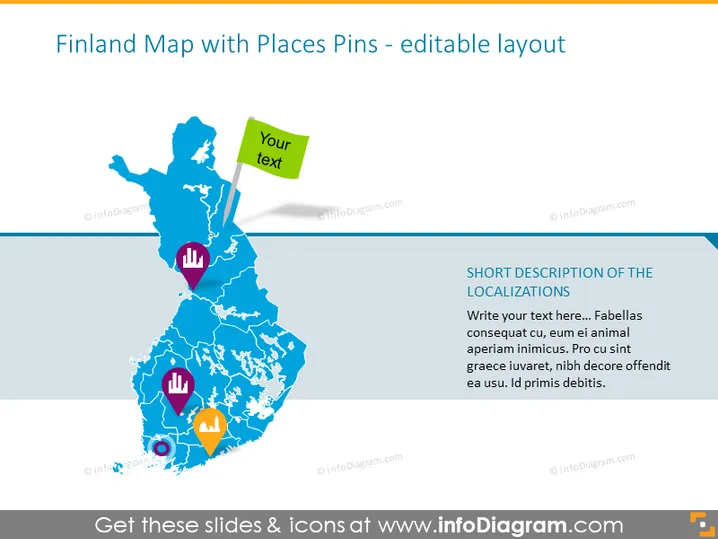
Finland Map with Places Pins - editable layout
Slide Content
The PowerPoint slide presents a stylized map of Finland, marked with various location pins that can be customized with text. Each pin icon represents a specific type of location or point of interest, and they are placed in different parts of the Finnish map. Accompanied by editable text boxes, these pins serve to highlight specific areas for discussion or attention. The slide structure encourages viewers to associate the pins with local details or data.
Graphical Look
- The slide background is white, providing clean contrast for the content.
- A large, blue-colored outline map of Finland occupies the central area of the slide.
- Colored location pins with different icons are positioned on the map: a hand, a building, and a chat icon, among others.
- Each pin is associated with a colored text box for customization, with the largest being a green box with the placeholder text "Your text."
- A blue horizontal bar at the bottom of the slide contains the title "SHORT DESCRIPTION OF THE LOCALIZATIONS."
- Below the title bar is a larger text area where a detailed description can be added.
The slide boasts a clean and professional appearance, with good use of colors to draw attention to key elements. The combination of map, icons, and editable text areas forms an effective tool for visual communication.
Use Cases
- Presenting geographic-based statistics or data points in a business meeting or report.
- Highlighting company branch locations, customer distribution, or market regions in Finland.
- Using during educational presentations to teach geographical locations or discuss regional case studies.
- Customizing for tourism presentations to denote points of interest or travel routes within Finland.
How to Edit
How to edit text & colors

How to expand / shorten diagram

How to Replace Icons in infoDiagram PPT


