Reviews
Sus gráficos añaden un toque agradable a mis presentaciones y recientemente los usé para una de mis reuniones generales. Su conjunto de herramientas añade profesionalismo a mis diapositivas. En lugar de usar imágenes prediseñadas estándar.
Necesitaba un aspecto fresco para algunas de mis diapositivas. Había intentado encontrar una forma de crear un efecto de pincel, de subrayar, acentuar, añadir algo de color y los marcadores escritos a mano fueron justo lo que necesitaba. Muy fácil de usar, fácil de ajustar el tamaño, cambiar el color. Fue una solución asequible y perfecta, y estoy feliz de recomendarla.
El aspecto nítido y limpio de los gráficos, y el hecho de que me permitiera editar y cambiar fácilmente los colores para que coincidieran con la plantilla fue mi principal razón para comprarlos.
Description
Rectangular label placeholders – with filling
Slide Content
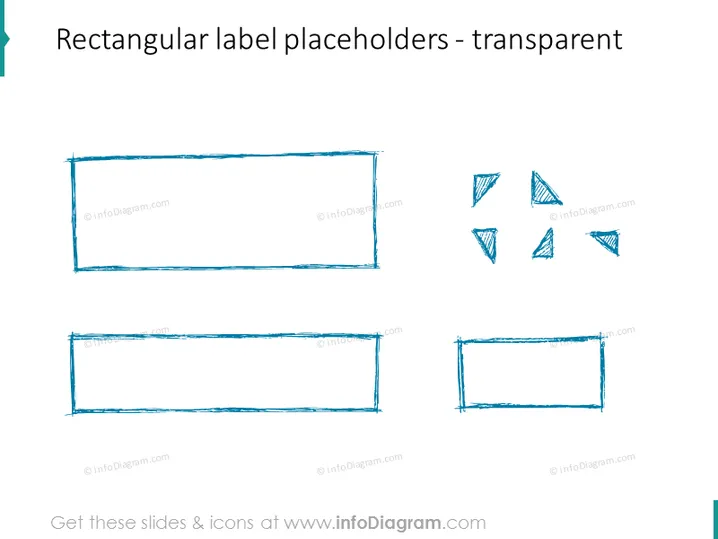
The slide showcases examples of label placeholders which users can integrate into their presentations. These placeholders are ideal for adding text, categorizing information, or emphasizing key points within a presentation. The larger rectangles provide ample space for significant amounts of text or larger font sizes, whereas the smaller ones cater to concise data or subpoints. The corner elements imply the possibility to further decorate or enhance the visual appeal of the slides using these design elements.
Graphical Look
- Two large blue filled rectangles with sketch-like strokes.
- Two smaller rectangles mirroring the style of the larger ones.
- Four corner elements consisting of sketchy triangle shapes, suggesting they could be used to accentuate or decorate the rectangles.
- The shapes are blue with a hand-drawn aesthetic, providing an informal or creative tone to the slide.
- The slide's background is white, creating a stark contrast that highlights the blue elements.
The overall look of the slide conveys a casual and creative design approach, with hand-drawn mock-up graphics that would suit informal or innovative presentation themes.
Use Cases
- To highlight key text or data points in a business presentation for clarity and focus.
- In brainstorming sessions to categorize ideas or group feedback visually on different topics.
- For creating visually engaging agendas or section dividers in a workshop slide deck.
- When designing marketing materials within presentations that require an informal or creative aesthetic.
How to Edit
How to edit text & colors

How to expand / shorten diagram

How to Replace Icons in infoDiagram PPT



