
Reviews
Sus gráficos añaden un toque agradable a mis presentaciones y recientemente los usé para una de mis reuniones generales. Su conjunto de herramientas añade profesionalismo a mis diapositivas. En lugar de usar imágenes prediseñadas estándar.
Necesitaba un aspecto fresco para algunas de mis diapositivas. Había intentado encontrar una forma de crear un efecto de pincel, de subrayar, acentuar, añadir algo de color y los marcadores escritos a mano fueron justo lo que necesitaba. Muy fácil de usar, fácil de ajustar el tamaño, cambiar el color. Fue una solución asequible y perfecta, y estoy feliz de recomendarla.
El aspecto nítido y limpio de los gráficos, y el hecho de que me permitiera editar y cambiar fácilmente los colores para que coincidieran con la plantilla fue mi principal razón para comprarlos.
Description
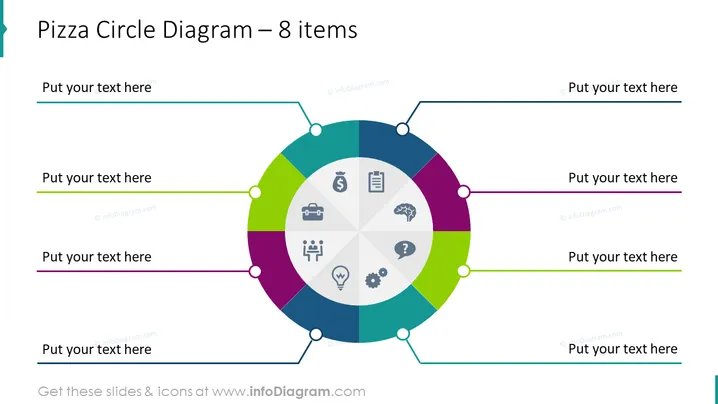
Pizza Circle Diagram – 8 items
Slide Content
The slide presents a circular diagram, often referred to as a pizza or pie chart, segmented into eight colored parts, which could represent stages, activities, or components of a process, project, or system. Each segment contains an icon, suggesting that these segments stand for different categories or topics such as finance, documentation, briefcase indicating business, a brain for ideas or intellect, social interaction, innovation, questioning, and operational mechanics or processes.
Graphical Look
- The central graphic is a multicolored circle resembling a pizza or pie chart, segmented into eight equal parts with different colors.
- Each segment contains a unique icon in a muted grayscale, representing various concepts (money, document, briefcase, brain, two figures interacting, light bulb, question mark, and gears).
- The circle is surrounded by eight connection points with lines leading to text boxes for additional details or descriptions.
- The text boxes are aligned horizontally and vertically around the central diagram and are colored to correspond with the adjoining segments of the circle.
- The background of the slide is plain white, which highlights the colorful central graphic.
The overall look of the slide is clean and modern, with a colorful central diagram that draws attention. The use of icons and coordinating colors across the diagram and text boxes is visually cohesive and aids in distinguishing between the different segments.
Use Cases
- To visually represent the components of a business model or strategy, with each 'slice' corresponding to a different aspect of the plan.
- As an agenda slide to categorize and summarize eight different topics or sessions in a meeting, conference, or workshop.
- To summarize the results or status of a project, with each segment detailing different key performance indicators or milestones.
- In marketing presentations to illustrate a product's features or different market segments targeted by a campaign.
How to Edit
How to edit text & colors

How to expand / shorten diagram

How to Replace Icons in infoDiagram PPT


