
Reviews
Ihre Grafiken verleihen meinen Präsentationen eine nette Note, und ich habe sie kürzlich für eines meiner All-Hands-Meetings verwendet. Ihre Toolbox verleiht meinen Folien Professionalität, anstatt Standard-Clipart zu verwenden.
Ich brauchte einen neuen Blick auf einige meiner Folien. Ich habe versucht, einen Weg zu finden, einen Pinselschlag-Effekt zu erzielen, um zu unterstreichen, hervorzuheben, Farbe hinzuzufügen, und die handgeschriebenen Markierungen waren genau das Richtige. Sehr einfach zu bedienen, leicht in der Größe zu ändern, die Farbe zu ändern. Es war eine erschwingliche, perfekte Lösung und ich empfehle sie gerne weiter.
Die klare, saubere Optik der Grafiken und die Tatsache, dass ich die Farben leicht bearbeiten und an die Vorlage anpassen konnte, war mein Hauptgrund für den Kauf.
Description
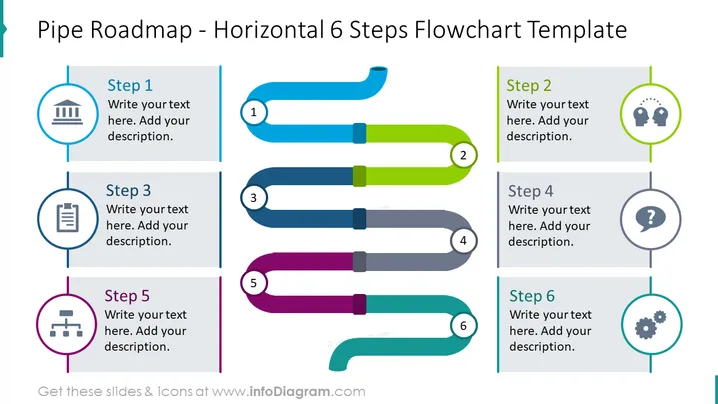
Pipe Roadmap - Horizontal 6 Steps Flowchart Template
Slide Content
The slide appears to introduce a "Pipe Roadmap - Horizontal 6 Steps Flowchart Template" which is a linear progression model illustrating a process or timeline with six steps. Each step is represented by a colored horizontal pipe segment labeled with a number and paired with a circular icon. The icons correspond to various themes—such as a building, group of people, document, question mark, network, and gears—serving as metaphors or cues for the step's content, which can be described in the adjacent text boxes.
Graphical Look
- The slide features a vibrant color palette with each step of the roadmap represented by a uniquely colored pipe.
- Six pipe segments, connected by darker shaded joints, form a horizontal sequence across the slide.
- Each pipe segment is numbered, with numbers positioned within circular shapes that overlap the top side of the pipe.
- Circular icons paired with each step are enclosed within colored circles and located on the left and right sides of the slide.
- Text boxes aligned with each step provide space for customized descriptions.
- Thin vertical lines connect the icons to the corresponding pipes, maintaining visual association.
- The slide's background is a light gray, enhancing the color contrast of the pipe elements.
The slide encompasses a modern and professional design, utilizing colors and simple icons to effectively distinguish between different stages of a process. It's visually balanced with symmetrical icon and text placement mirroring on either side of the central pipeline.
Use Cases
- Presenting project milestones or phases in a business strategy or marketing plan.
- Illustrating the chronological development of a product or service from concept to launch.
- Mapping out the key stages in a workflow or operational process for new team members.
- Using in educational or training sessions to break down and explain complex processes or timelines.
How to Edit
How to edit text & colors

How to expand / shorten diagram

How to Replace Icons in infoDiagram PPT


