
Reviews
Your graphics add a nice touch to my presentations and I recently used them for one of my all-hands meetings. Your toolbox adds professionalism to my slides. Instead of using standard clipart.
I needed a fresh look at some of my slides. I've tried to find a way to create a paintbrush effect, to underline, accentuate, add some color and the handwritten markers were just the things. Very easy to use, easy to size, change the color. It was an affordable, perfect solution and I'm happy to recommend it.
The crisp, clean look of the graphics, and the fact that it allowed me to easily edit and change the colors to match the template was my main reason for purchasing them.
Description
Vertical Pipeline Graphics Timeline - 5 Months
Slide Content
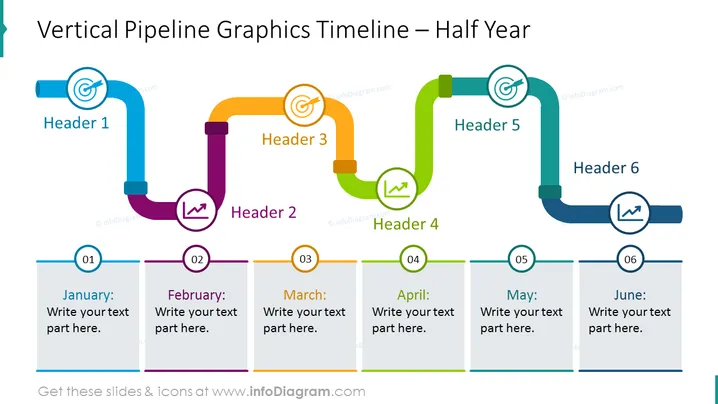
The PowerPoint slide "Vertical Pipeline Graphics Timeline - 5 Months" outlines a 5-step process, symbolizing a timeline spanning January through May. Each step is labeled with a Header and an icon that corresponds to a different stage or theme, such as finance or teamwork. The stages are connected with vertical and horizontal pipeline segments, suggesting a progression or workflow. The timeline appears to be a tool for mapping out key tasks, milestones, or events in a monthly format.
Graphical Look
- A clear and colorful pipeline structure dominates the slide, with each segment of the pipeline representing a distinct time period in the 5-month span.
- Five headers, each with a unique icon, are evenly distributed across the pipeline, representing different stages or focus areas, such as a briefcase for business tasks or a flask for scientific endeavors.
- Below the pipeline, there are corresponding rectangular shapes with numbers from 01 to 05, providing space for detailed text corresponding to each monthly milestone or activity.
- The colors of the pipeline segments vary, cycling through blue, purple, orange, yellowish-green, and light blue, visually distinguishing each month's section.
- Small circular elements with additional icons, such as a handshake or money symbol, punctuate the pipeline at the junctions, further emphasizing the different themes or actions associated with each step.
The overall look of the slide is vibrant and well-organized, utilizing a mix of color-coded graphics to convey a sequential process. This visual approach makes it easy to follow the flow of activities or milestones over the 5-month period.
Use Cases
- To present project milestones or deliverables in a monthly management meeting, clearly showing the progression of work.
- For marketing teams to outline a multi-stage campaign rollout, with each stage associated with a different month.
- In educational settings, to visualize the syllabus or major deadlines throughout a semester.
- For startups to demonstrate their product development timeline to investors or potential partners, highlighting key stages and objectives.
How to Edit
How to edit text & colors

How to expand / shorten diagram

How to Replace Icons in infoDiagram PPT


