
Your graphics add a nice touch to my presentations and I recently used them for one of my all-hands meetings. Your toolbox adds professionalism to my slides. Instead of using standard clipart.
Claude Jones, Director of Engineer, @Walmartlabs, USA
Your graphics add a nice touch to my presentations and I recently used them for one of my all-hands meetings. Your toolbox adds professionalism to my slides. Instead of using standard clipart.
Claude Jones, Director of Engineer, @Walmartlabs, USA
I needed a fresh look at some of my slides. I've tried to find a way to create a paintbrush effect, to underline, accentuate, add some color and the handwritten markers were just the things. Very easy to use, easy to size, change the color. It was an affordable, perfect solution and I'm happy to recommend it.
Anonymous, US
The crisp, clean look of the graphics, and the fact that it allowed me to easily edit and change the colors to match the template was my main reason for purchasing them.
Brandie Jenkins, E-learning Developer, USA
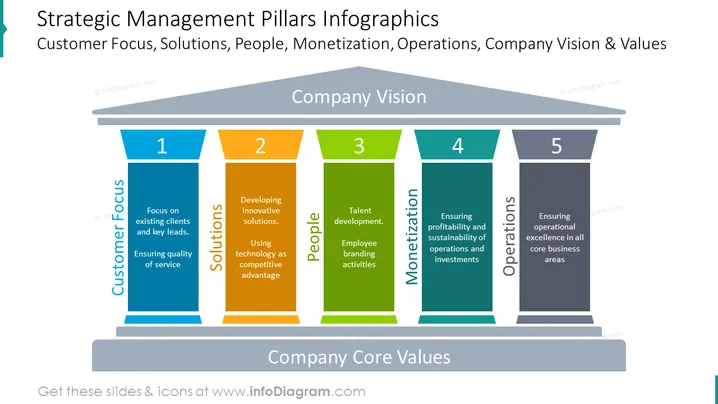
##Slide content: Strategic management pillars infographics with company core values. The first pillar shows the customer focus – existing clients and key leads, along with ensuring a quality service. The second pillar represents the solutions, like developing innovative solutions and using technology as a competitive advantage. As a third pillar, the people represent it with talent development and employee branding activities. Monetization means ensuring the profitability and sustainability of operations and investments in the fourth strategic pillar, while the last one represents the operations – ensuring operational excellence in all core business areas. Use this presentation if you are working with strategy management, and explain the core strategy that would insure a smooth workflow. You can download this template in Google Slides and Keynote too.
##Slide infographic description: Pillars Diagram, Color Coding, Enumeration List, White Background




