
Reviews
Ihre Grafiken verleihen meinen Präsentationen eine nette Note, und ich habe sie kürzlich für eines meiner All-Hands-Meetings verwendet. Ihre Toolbox verleiht meinen Folien Professionalität, anstatt Standard-Clipart zu verwenden.
Ich brauchte einen neuen Blick auf einige meiner Folien. Ich habe versucht, einen Weg zu finden, einen Pinselschlag-Effekt zu erzielen, um zu unterstreichen, hervorzuheben, Farbe hinzuzufügen, und die handgeschriebenen Markierungen waren genau das Richtige. Sehr einfach zu bedienen, leicht in der Größe zu ändern, die Farbe zu ändern. Es war eine erschwingliche, perfekte Lösung und ich empfehle sie gerne weiter.
Die klare, saubere Optik der Grafiken und die Tatsache, dass ich die Farben leicht bearbeiten und an die Vorlage anpassen konnte, war mein Hauptgrund für den Kauf.
Description
5 Phases Loop Chart Graphics
Slide Content
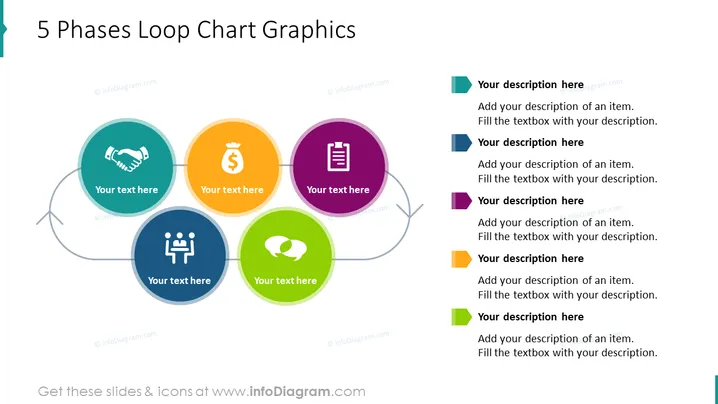
The PowerPoint slide titled "5 Phases Loop Chart Graphics" presents a cyclical process diagram with five distinct phases, each symbolized by a circular colored node connected in a loop. The nodes have icons representing different stages or activities and placeholder text for descriptions, indicating the slide is designed for customization to fit a specific process or workflow.
Graphical Look
- The slide has a clean, uncluttered white background.
- At the center top, there is a blue header with white text for the title.
- Five large circular nodes, colored teal, orange, purple, green, and blue, are positioned in a circular layout to suggest a continuous loop or cycle.
- Each node contains a white icon representing various concepts or phases and is surrounded by a lighter shade of its respective color to create a halo effect.
- Placeholder text boxes are found below each circle inviting users to add their text.
- Gray arrows curve between the nodes, indicating the direction of flow within the cycle.
- On the right side, there are colored rectangular shapes corresponding to each of the five nodes, followed by text boxes with placeholder text for expanded descriptions.
The slide boasts a modern and professional aesthetic, making use of vibrant yet harmonious colors to draw attention to each phase of the loop. Icons are simple and clearly represent different concepts, aiding in visual communication.
Use Cases
- Illustrating a business process or cycle, such as a product life cycle or customer journey.
- Demonstrating a continuous improvement process like the Plan-Do-Check-Act (PDCA) cycle.
- Outlining stages in project management, for instance, the phases of a project from initiation to closure.
- Educating employees during training about a company's workflow or standard operating procedures.
How to Edit
How to edit text & colors

How to expand / shorten diagram

How to Replace Icons in infoDiagram PPT


