
Reviews
Your graphics add a nice touch to my presentations and I recently used them for one of my all-hands meetings. Your toolbox adds professionalism to my slides. Instead of using standard clipart.
I needed a fresh look at some of my slides. I've tried to find a way to create a paintbrush effect, to underline, accentuate, add some color and the handwritten markers were just the things. Very easy to use, easy to size, change the color. It was an affordable, perfect solution and I'm happy to recommend it.
The crisp, clean look of the graphics, and the fact that it allowed me to easily edit and change the colors to match the template was my main reason for purchasing them.
Description
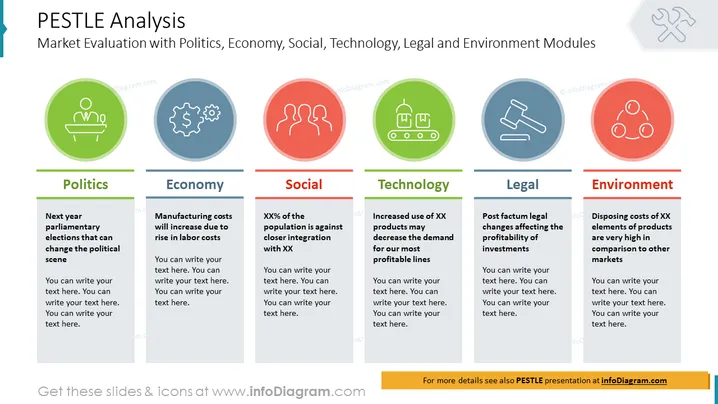
PESTLE Analysis
Slide Content:
The PowerPoint slide explains the six modules of PESTLE analysis: Politics, Economy, Social, Technology, Legal and Environment. Each module is represented by an icon and a brief explanation of what it means. For example, the Politics module is about analyzing the political challenges that a business may face in the future.
Graphical Look:
- The slide has a white background.
- The title is in black font and is located at the top of the slide.
- The slide is divided into six sections, each representing a module of PESTLE analysis.
- Each section has an icon and a brief explanation of what the module means.
Use Cases
You can use such a slide in a variety of settings, such as:
- Market Analysis Presentations: Analyze the external factors that may influence the overall market and identify opportunities or threats.
- Strategic Planning Presentations: Evaluate external factors as part of the strategic planning process and inform strategic decision-making.
- Investor Relations Presentations: Provide investors with insights into the external environment and its potential impact on the company's performance.
How to Edit
How to edit text & colors

How to expand / shorten diagram

How to Replace Icons in infoDiagram PPT


