
Reviews
Sus gráficos añaden un toque agradable a mis presentaciones y recientemente los usé para una de mis reuniones generales. Su conjunto de herramientas añade profesionalismo a mis diapositivas. En lugar de usar imágenes prediseñadas estándar.
Necesitaba un aspecto fresco para algunas de mis diapositivas. Había intentado encontrar una forma de crear un efecto de pincel, de subrayar, acentuar, añadir algo de color y los marcadores escritos a mano fueron justo lo que necesitaba. Muy fácil de usar, fácil de ajustar el tamaño, cambiar el color. Fue una solución asequible y perfecta, y estoy feliz de recomendarla.
El aspecto nítido y limpio de los gráficos, y el hecho de que me permitiera editar y cambiar fácilmente los colores para que coincidieran con la plantilla fue mi principal razón para comprarlos.
Description
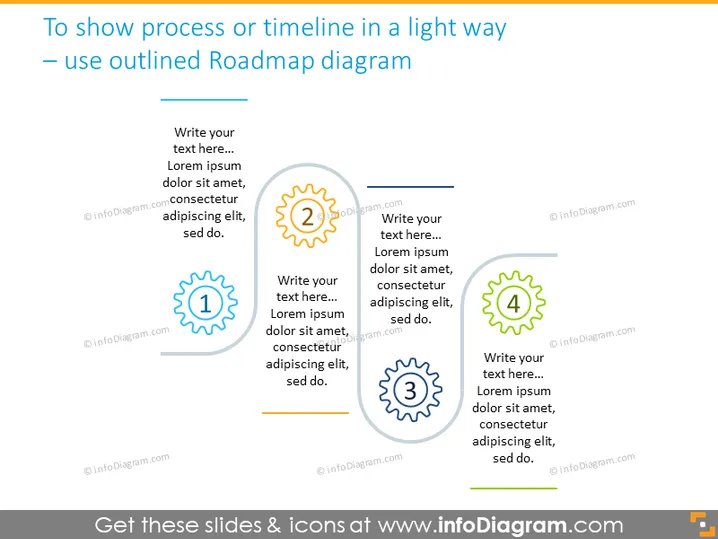
To show process or timeline in a light way – use outlined Roadmap diagram
Slide Content
The slide presents a roadmap diagram for describing processes or timelines. Four circular icons, numbered from 1 to 4, are aligned horizontally across the slide. Each icon is accompanied by a text box for additional information. The numbers indicate a sequence, suggesting this format is ideal for displaying steps in a process or events in a timeline. The text placeholders next to each icon imply customization for various purposes.
Graphical Look
- The slide background is a subtle gradient of blue hues.
- At the top, the slide title is in bold, dark text.
- Four circular outlined icons progress from left to right across the middle of the slide.
- Each icon contains a large number, from 1 to 4, centrally displayed.
- Short horizontal lines connect these icons, indicating a sequential flow.
- The text placeholders are positioned adjacent to each icon, ready for descriptive content.
- Each icon has a drop shadow, adding depth to the design.
- The overall layout is linear and balanced, with a clear directional flow from left to right.
The slide is designed with simplicity and readability in mind, employing clean lines and minimalistic icons. The color contrast and alignment create an easy-to-follow visual path, guiding the viewer through the content.
Use Cases
- To depict the stages of a project during a business strategy presentation.
- As a visual aid in educational or training materials, detailing the steps of a process.
- In marketing pitches, to outline the chronological development of a product or campaign.
- For reporting progress in team meetings, to highlight key milestones and next steps.
How to Edit
How to edit text & colors

How to expand / shorten diagram

How to Replace Icons in infoDiagram PPT


