
Reviews
Your graphics add a nice touch to my presentations and I recently used them for one of my all-hands meetings. Your toolbox adds professionalism to my slides. Instead of using standard clipart.
I needed a fresh look at some of my slides. I've tried to find a way to create a paintbrush effect, to underline, accentuate, add some color and the handwritten markers were just the things. Very easy to use, easy to size, change the color. It was an affordable, perfect solution and I'm happy to recommend it.
The crisp, clean look of the graphics, and the fact that it allowed me to easily edit and change the colors to match the template was my main reason for purchasing them.
Description
Slide Content
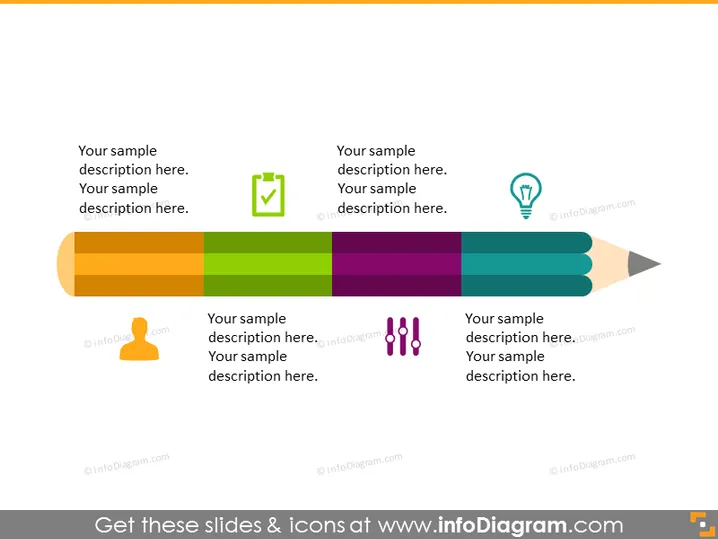
The PowerPoint slide is titled "Your sample description here." It appears to be a conceptual slide, potentially describing four different components or stages related to a central idea, represented by a pencil graphic. Each component has an icon - a check mark, a light bulb, a group of dots, and a hand, respectively - which likely symbolizes a certain concept or action such as completion, idea generation, community or diversity, and cooperation or support.
Graphical Look
- The slide features a large, horizontally-oriented pencil graphic that spans nearly the entire width of the slide.
- The pencil is segmented into four distinct colored sections, each representing a different component, using shades of orange, green, purple, and blue.
- Above each colored segment of the pencil is a text box containing placeholder text for a description.
- Adjacent to each text box is an icon that corresponds with the color of the pencil segment below it: a green check mark, a blue light bulb, purple dots, and a blue hand.
- The icons are encircled with thin lines, creating a visual association with the text they are next to.
- The overall color scheme is vibrant and uses contrasting colors to clearly delineate different sections of the pencil.
The slide combines a playful and informative design, with bright colors and clear icons to visually segment information. The pencil graphic serves as a metaphor, possibly for the process or elements that contribute to a central theme or objective.
Use Cases
- To show a step-by-step process or sequential stages in a project or initiative.
- To outline different components of a strategy or approach in business planning sessions.
- To visually represent a set of principles or values in company training or orientation presentations.
- To illustrate interconnected elements that contribute to a creative process or idea development in a brainstorming session.
How to Edit
How to edit text & colors

How to expand / shorten diagram

How to Replace Icons in infoDiagram PPT


