
Reviews
Ihre Grafiken verleihen meinen Präsentationen eine nette Note, und ich habe sie kürzlich für eines meiner All-Hands-Meetings verwendet. Ihre Toolbox verleiht meinen Folien Professionalität, anstatt Standard-Clipart zu verwenden.
Ich brauchte einen neuen Blick auf einige meiner Folien. Ich habe versucht, einen Weg zu finden, einen Pinselschlag-Effekt zu erzielen, um zu unterstreichen, hervorzuheben, Farbe hinzuzufügen, und die handgeschriebenen Markierungen waren genau das Richtige. Sehr einfach zu bedienen, leicht in der Größe zu ändern, die Farbe zu ändern. Es war eine erschwingliche, perfekte Lösung und ich empfehle sie gerne weiter.
Die klare, saubere Optik der Grafiken und die Tatsache, dass ich die Farben leicht bearbeiten und an die Vorlage anpassen konnte, war mein Hauptgrund für den Kauf.
Description
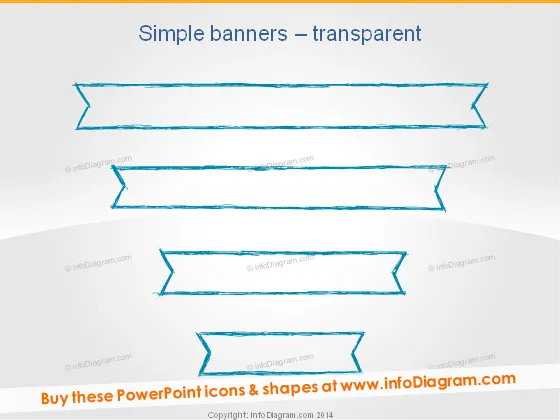
Simple banners – transparent
Slide Content
The slide is titled "Simple banners – transparent" and contains a collection of four hand-drawn style banner graphics. Each banner has a unique shape and design, suggesting their use for highlighting different pieces of information or distinguishing between various topics. These banners are devoid of any text, indicating that they are meant to be customized by the user.
Graphical Look
- The background of the slide is a subtle gradient from a lighter shade at the top to a darker shade at the bottom.
- Four banners with a hand-drawn aesthetic float in the central area of the slide.
- Each banner has a different design curve and edge detail, contributing to their hand-drawn look.
- The top two banners are larger and have parallel lines, while the bottom two are smaller, with the third banner showing a more pronounced outline.
- The colors scheme is monochromatic, using shades of blue for the banners.
The slide has a clean, modern feel with a creative twist due to the sketched appearance of the banners. The hand-drawn style adds a touch of informality and approachability.
Use Cases
- To highlight key points or topics within a business presentation.
- As placeholders for quotes or testimonials from clients or partners.
- For delineating sections in an agenda or summarizing content in a visually appealing way.
- To enhance the visual appeal of a slide when presenting statistics or achievements.
How to Edit
How to edit text & colors

How to expand / shorten diagram

How to Replace Icons in infoDiagram PPT


