
Reviews
Your graphics add a nice touch to my presentations and I recently used them for one of my all-hands meetings. Your toolbox adds professionalism to my slides. Instead of using standard clipart.
I needed a fresh look at some of my slides. I've tried to find a way to create a paintbrush effect, to underline, accentuate, add some color and the handwritten markers were just the things. Very easy to use, easy to size, change the color. It was an affordable, perfect solution and I'm happy to recommend it.
The crisp, clean look of the graphics, and the fact that it allowed me to easily edit and change the colors to match the template was my main reason for purchasing them.
Description
General Healthcare – Patient Icons
Slide Content
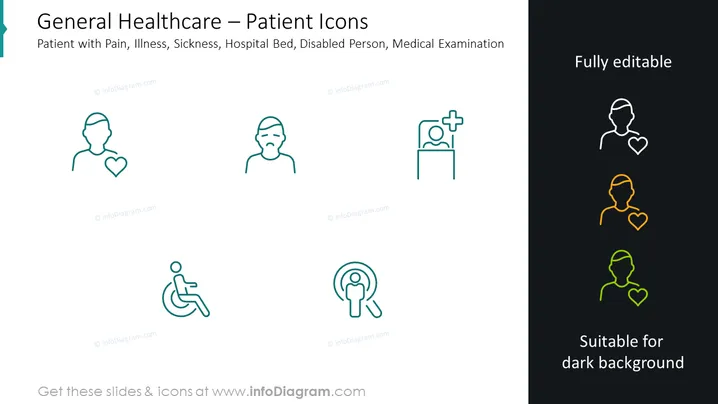
The slide presents a set of healthcare-related icons that represent different aspects of patient care. The symbols include a patient with a heart signifying general patient care, a figure with a pained expression denoting illness or pain, an icon of a person in a hospital bed representing hospitalization, a wheelchair symbol for disability, and an icon of a figure under a magnifying glass symbolizing medical examination. Each icon is simply designed for quick recognition, facilitating an intuitive understanding of diverse patient conditions and healthcare services.
Graphical Look
- The slide uses a clean, minimalistic design with a white background.
- Five line-art icons are evenly spaced horizontally across the slide.
- The icons are drawn with thin lines and are monochromatic, with four in turquoise and one set in multi-colors on the right.
- On the top right corner, there's a text box with the phrase "Fully editable."
- Below the icons to the bottom right, another text box states "Suitable for dark background."
- The icons and text are arranged to create a balanced composition with ample negative space.
- Turquoise vertical banner on the left side with the slide title "General Healthcare – Patient Icons."
The overall look is modern, professional, and suitable for a business or medical presentation. The icons are stylistically coherent and easily recognizable, allowing for quick visual communication.
Use Cases
- Utilized in a healthcare business presentation to depict different patient care services.
- Integrated into medical training materials to help professionals easily identify various patient needs.
- Incorporated into patient informational brochures to visually communicate the breadth of health services offered.
- Employed in digital health applications as interface elements to enhance user navigation and comprehension.
How to Edit
How to edit text & colors

How to expand / shorten diagram

How to Replace Icons in infoDiagram PPT


