
Reviews
Sus gráficos añaden un toque agradable a mis presentaciones y recientemente los usé para una de mis reuniones generales. Su conjunto de herramientas añade profesionalismo a mis diapositivas. En lugar de usar imágenes prediseñadas estándar.
Necesitaba un aspecto fresco para algunas de mis diapositivas. Había intentado encontrar una forma de crear un efecto de pincel, de subrayar, acentuar, añadir algo de color y los marcadores escritos a mano fueron justo lo que necesitaba. Muy fácil de usar, fácil de ajustar el tamaño, cambiar el color. Fue una solución asequible y perfecta, y estoy feliz de recomendarla.
El aspecto nítido y limpio de los gráficos, y el hecho de que me permitiera editar y cambiar fácilmente los colores para que coincidieran con la plantilla fue mi principal razón para comprarlos.
Description
Your sample text here
Slide Content
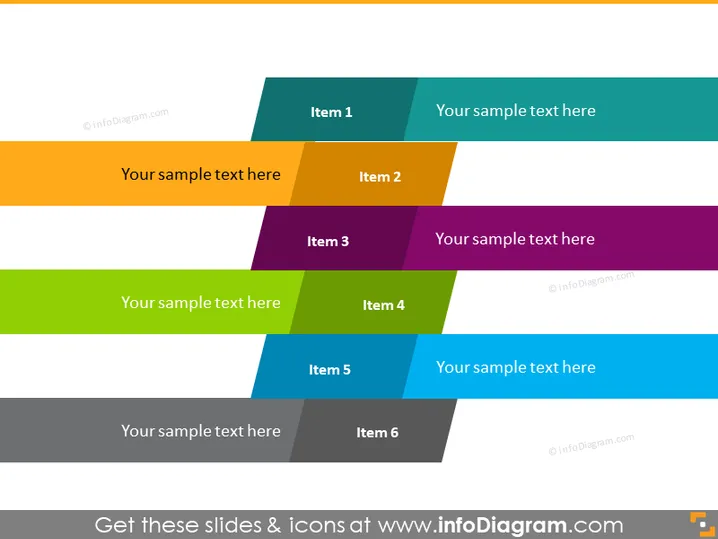
This PowerPoint slide presents a categorization model where six items are organized in a staggered, two-column layout. Each of the six items is represented by a colored rectangle with a unique color, suggesting separate categories or topics. Each colored rectangle contains a placeholder for a title, denoted by "Item 1" through "Item 6," and is paired with a complementary space for additional details or descriptions, marked "Your sample text here."
Graphical Look
- Two columns of colored rectangles in a staggered arrangement.
- Six distinct colors for the rectangles ranging from teal to purple in the first column and from orange to blue in the second column.
- Each rectangle is paired with a smaller, complementary-colored rectangle that serves as a space for text.
- The rectangles are angled slightly to the right, creating a dynamic composition.
- The slide background is plain white, which helps the colored elements to stand out.
- The text is in bold and capitalized to match the significance of the headings.
The slide uses bright, contrasting colors and clean geometric shapes to create a visually appealing layout. It is modern and professional, with an engaging balance between color and whitespace.
Use Cases
- To display different services offered by a company, with each service detailed next to its corresponding number.
- To outline various stages of a project or process, where each stage has an allocated description.
- For summarizing the key features or benefits of a product, with each feature getting its designated space.
- To compare and contrast two groups of three related concepts or ideas, facilitating an intuitive visual comparison.
How to Edit
How to edit text & colors

How to expand / shorten diagram

How to Replace Icons in infoDiagram PPT


