
Reviews
Ihre Grafiken verleihen meinen Präsentationen eine nette Note, und ich habe sie kürzlich für eines meiner All-Hands-Meetings verwendet. Ihre Toolbox verleiht meinen Folien Professionalität, anstatt Standard-Clipart zu verwenden.
Ich brauchte einen neuen Blick auf einige meiner Folien. Ich habe versucht, einen Weg zu finden, einen Pinselschlag-Effekt zu erzielen, um zu unterstreichen, hervorzuheben, Farbe hinzuzufügen, und die handgeschriebenen Markierungen waren genau das Richtige. Sehr einfach zu bedienen, leicht in der Größe zu ändern, die Farbe zu ändern. Es war eine erschwingliche, perfekte Lösung und ich empfehle sie gerne weiter.
Die klare, saubere Optik der Grafiken und die Tatsache, dass ich die Farben leicht bearbeiten und an die Vorlage anpassen konnte, war mein Hauptgrund für den Kauf.
Description
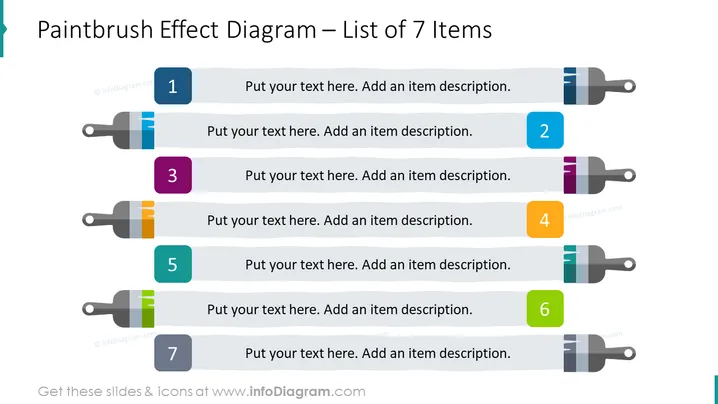
Paintbrush Effect List for 7 Items Slide slide content
The Paintbrush Effect List for 7 Items Slide can be used when you want to convey important information in a way that is both engaging and memorable. For example, you can use this PPT slide when you want to present the key goals or objectives that your company hopes to achieve. This can make your goals stand out and help your audience remember them more easily. The background features colorful paintbrush strokes, and you can present your text in a clean and organized manner, with each item numbered. This PPT slide is part of the Flat Paint Brush Strokes Diagrams slide deck. Click on the picture to see the whole presentation. You can download this PPT template on Google Slides and Keynote.
Paintbrush Effect List for 7 Items Slide slide infographics
White Background, Text Box, Colorful List, Colorful Paintbrush Strokes
How to Edit
How to edit text & colors

How to expand / shorten diagram

How to Replace Icons in infoDiagram PPT


