
Reviews
Ihre Grafiken verleihen meinen Präsentationen eine nette Note, und ich habe sie kürzlich für eines meiner All-Hands-Meetings verwendet. Ihre Toolbox verleiht meinen Folien Professionalität, anstatt Standard-Clipart zu verwenden.
Ich brauchte einen neuen Blick auf einige meiner Folien. Ich habe versucht, einen Weg zu finden, einen Pinselschlag-Effekt zu erzielen, um zu unterstreichen, hervorzuheben, Farbe hinzuzufügen, und die handgeschriebenen Markierungen waren genau das Richtige. Sehr einfach zu bedienen, leicht in der Größe zu ändern, die Farbe zu ändern. Es war eine erschwingliche, perfekte Lösung und ich empfehle sie gerne weiter.
Die klare, saubere Optik der Grafiken und die Tatsache, dass ich die Farben leicht bearbeiten und an die Vorlage anpassen konnte, war mein Hauptgrund für den Kauf.
Description
Paint Brushes Enumeration List of 5 Elements
Slide Content
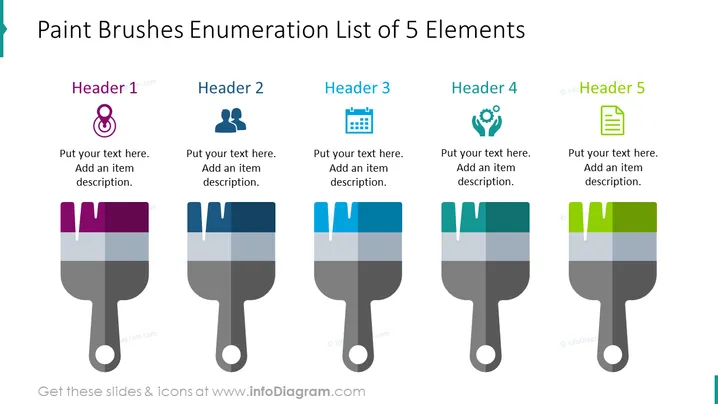
The slide titled "Paint Brushes Enumeration List of 5 Elements" uses the metaphor of paint brushes to organize information into five sections, each with a header and a place for descriptive text. "Header 1" features an icon suggestive of an individual, implying a personal or human-focused concept. "Header 2" is paired with a two-person icon, possibly symbolizing partnership or teamwork. "Header 3" has a calendar icon, hinting at time or scheduling elements. "Header 4" features an icon representing collaboration or community. "Header 5" is accompanied by a document icon, referring to content or data recording.
Graphical Look
- The slide background is plain white.
- At the top, the slide title is in a large, bold, teal font.
- Five stylized paintbrush graphics are uniformly arranged horizontally across the slide, acting as visual separators for each enumerated element.
- Each paintbrush is colored with a gradient, starting with a darker shade at the top transitioning to a lighter shade toward the handle.
- Each paintbrush appears to have "paint" dripping from its bristles, matching the color of the gradient.
- Above each paintbrush, there's a text placeholder titled "Header" followed by a number from 1 to 5.
- Each "Header" has a unique icon next to it on the left side.
- Below each header is a text placeholder for additional descriptions.
- Each icon next to the headers is representative of different concepts:
- "Header 1" has a gender-neutral person icon.
- "Header 2" has two people, likely indicating a group or teamwork.
- "Header 3" sports a calendar icon.
- "Header 4" includes an icon with three figures in a circle, possibly denoting community or collaboration.
- "Header 5" presents a document icon, typically representing reports or records.
- The paintbrushes serve as a visual metaphor for applying or 'painting' ideas or concepts onto a project or plan.
The overall look of the slide is clean and modern, utilizing visual metaphors to segment information creatively. The use of icons and color gradients not only enhances visual interest but also helps in differentiating between the various topics or categories being presented.
Use Cases
- To visually organize and present different stages of a project or creative process.
- To outline the roles or contributions of team members in a collaborative effort.
- To break down components of a strategic plan or marketing campaign.
- To enumerate services offered by a business, with each "paintbrush" representing a specific service.
How to Edit
How to edit text & colors

How to expand / shorten diagram

How to Replace Icons in infoDiagram PPT


