
Reviews
Sus gráficos añaden un toque agradable a mis presentaciones y recientemente los usé para una de mis reuniones generales. Su conjunto de herramientas añade profesionalismo a mis diapositivas. En lugar de usar imágenes prediseñadas estándar.
Necesitaba un aspecto fresco para algunas de mis diapositivas. Había intentado encontrar una forma de crear un efecto de pincel, de subrayar, acentuar, añadir algo de color y los marcadores escritos a mano fueron justo lo que necesitaba. Muy fácil de usar, fácil de ajustar el tamaño, cambiar el color. Fue una solución asequible y perfecta, y estoy feliz de recomendarla.
El aspecto nítido y limpio de los gráficos, y el hecho de que me permitiera editar y cambiar fácilmente los colores para que coincidieran con la plantilla fue mi principal razón para comprarlos.
Description
3 Overlapping Circles Intersections Venn Diagram
Slide Content
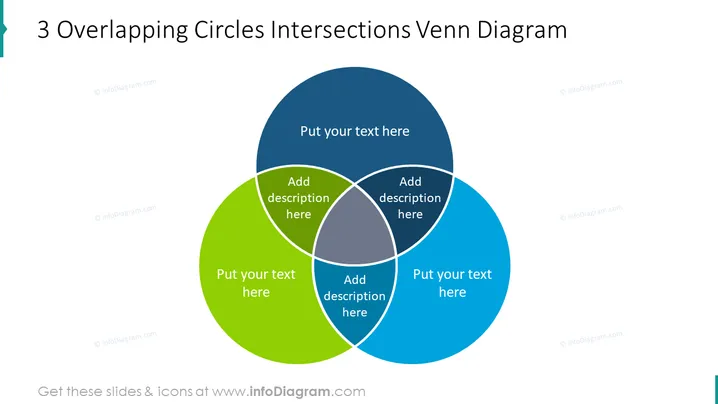
The slide presents a 3 Overlapping Circles Intersections Venn Diagram, commonly used as a tool for visualizing relationships between different sets. It consists of three circles of green, blue, and dark blue colors, each representing a set. The intersections where the circles overlap allow for text input to describe commonalities or relationships between the sets. These areas are typically used to illustrate shared characteristics or the interaction between distinct groups or concepts.
Graphical Look
- Three circles with distinct colors: green, blue, and dark blue representing different sets or categories.
- Overlapping areas of the circles have lighter shades where the circles intersect and are labeled with "Add description here" for further explanation or data insertion.
- Text placeholders marked as "Put your text here" are positioned on each circle, suggesting areas for naming or defining each individual set or category.
- The slide background is white, providing a neutral canvas that highlights the colored Venn diagram.
- No other visual decorations, images, or icons are included, focusing all attention on the Venn diagram itself.
The slide has a clean and minimalist design that facilitates concentration on the Venn diagram. The color contrasts are soft, aiding in distinguishing between different sections without visual strain.
Use Cases
- In marketing presentations to showcase customer segments and their overlaps in preferences or behaviors.
- During strategic business meetings to analyze the intersection of different project teams, their functions, and shared responsibilities.
- In educational settings to teach logical relationships, set theory, or to compare and contrast different concepts or entities.
- For product development discussions to illustrate feature overlap between different product lines or potential integration points.
How to Edit
How to edit text & colors

How to expand / shorten diagram

How to Replace Icons in infoDiagram PPT


