
Reviews
Sus gráficos añaden un toque agradable a mis presentaciones y recientemente los usé para una de mis reuniones generales. Su conjunto de herramientas añade profesionalismo a mis diapositivas. En lugar de usar imágenes prediseñadas estándar.
Necesitaba un aspecto fresco para algunas de mis diapositivas. Había intentado encontrar una forma de crear un efecto de pincel, de subrayar, acentuar, añadir algo de color y los marcadores escritos a mano fueron justo lo que necesitaba. Muy fácil de usar, fácil de ajustar el tamaño, cambiar el color. Fue una solución asequible y perfecta, y estoy feliz de recomendarla.
El aspecto nítido y limpio de los gráficos, y el hecho de que me permitiera editar y cambiar fácilmente los colores para que coincidieran con la plantilla fue mi principal razón para comprarlos.
Description
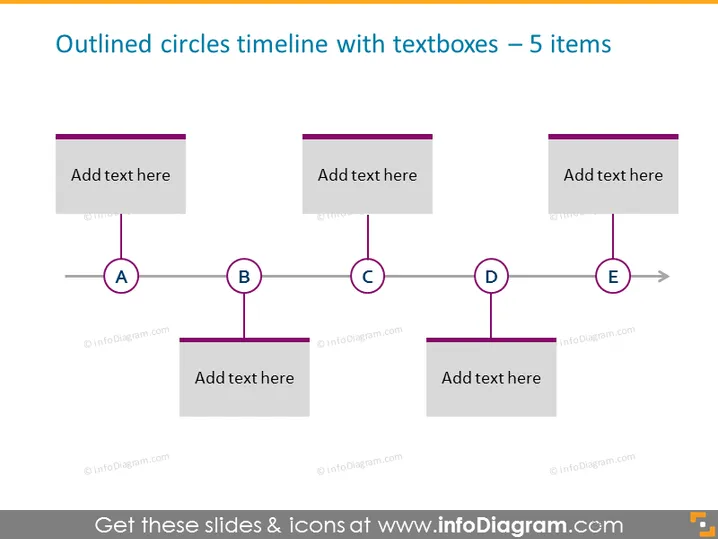
Outlined circles timeline with textboxes – 5 items
Slide Content
The PowerPoint slide titled "Outlined circles timeline with textboxes – 5 items" presents a sequential timeline with five key points, represented by outlined circles labeled A to E. Each circle is connected by a horizontal line that symbolizes the flow of time or process steps. Accompanying each circle is a textbox for additional information, indicating that each step can include a detailed description, significant details, or relevant data points.
Graphical Look
- The slide background is white, providing a clean and neutral backdrop for the content.
- There are five gray, rectangular textboxes aligned horizontally across the slide.
- Each textbox has the placeholder text "Add text here" suggesting where the user can input relevant information.
- Below the textboxes, a horizontal timeline is depicted with a line running from left to right.
- There are five outlined circles, each labeled with a capital letter from A to E, positioned along the timeline indicating distinct milestones or events.
- Each outlined circle is connected to its respective textbox by a vertical line, which suggests a relationship between the timeline event and its descriptive content.
The overall design is minimalist and professional, with a clear emphasis on structure and readability. The use of outlined circles and connecting lines creates a visual flow that guides the viewer through the timeline's sequence.
Use Cases
- To showcase project milestones and their corresponding descriptions during a project management presentation.
- For illustrating the chronological steps of a business process in a training or operational meeting.
- To display a company's historical achievements or future goals in a strategic planning session.
- As a visual aid in a marketing presentation to outline the phased launch of a product or campaign.
How to Edit
How to edit text & colors

How to expand / shorten diagram

How to Replace Icons in infoDiagram PPT


