
Reviews
Sus gráficos añaden un toque agradable a mis presentaciones y recientemente los usé para una de mis reuniones generales. Su conjunto de herramientas añade profesionalismo a mis diapositivas. En lugar de usar imágenes prediseñadas estándar.
Necesitaba un aspecto fresco para algunas de mis diapositivas. Había intentado encontrar una forma de crear un efecto de pincel, de subrayar, acentuar, añadir algo de color y los marcadores escritos a mano fueron justo lo que necesitaba. Muy fácil de usar, fácil de ajustar el tamaño, cambiar el color. Fue una solución asequible y perfecta, y estoy feliz de recomendarla.
El aspecto nítido y limpio de los gráficos, y el hecho de que me permitiera editar y cambiar fácilmente los colores para que coincidieran con la plantilla fue mi principal razón para comprarlos.
Description
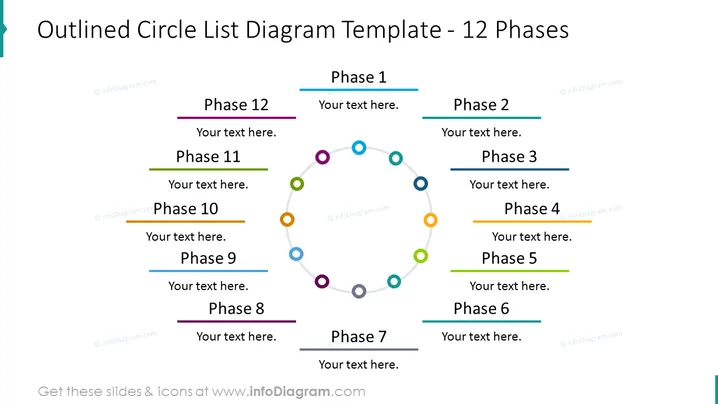
Outlined Circle List Diagram Template - 12 Phases
Slide Content
The PowerPoint slide titled "Outlined Circle List Diagram Template - 12 Phases" depicts a circular process flow with twelve stages, each represented by a differently colored dot and connected by a grey line forming a loop. Each phase is numbered, with placeholders for descriptive text beside it. The graphical representation suggests a cyclical or iterative process where the completion of one stage leads into the beginning of the next, which is useful for conveying continuous sequences or steps that repeat over time.
Graphical Look
- The slide background is white, providing a clean and neutral canvas for the content.
- The title is in large, bold, navy blue font centered at the top of the slide.
- A colorful circle diagram is centered on the slide with a light grey connecting line that forms a loop.
- Each of the 12 phases is denoted by a colored outlined circle with a distinct color, connected to a corresponding colored line leading to a text box with the phase number and placeholder text.
- Placeholder text is in a sans-serif font, colored black, suggesting the ability to customize with one's own content.
- No images or additional visual elements other than the circle diagram and text boxes are present, ensuring a focus on the content.
The overall look of the slide is modern and professional with a simple color scheme that highlights the different phases using color coding. It is visually balanced, with the circular diagram providing a focal point that clearly outlines the sequence of steps.
Use Cases
- To showcase a business process or workflow that involves multiple sequential steps, emphasizing the cyclical nature of the process.
- In project management presentations to illustrate the phases of project development or lifecycle stages.
- For strategic planning sessions to describe the stages of implementing a strategy or policy over time.
- In educational settings to teach or explain a concept that involves a multi-step process that repeats or requires revisiting previous steps.
How to Edit
How to edit text & colors

How to expand / shorten diagram

How to Replace Icons in infoDiagram PPT


