

Your graphics add a nice touch to my presentations and I recently used them for one of my all-hands meetings. Your toolbox adds professionalism to my slides. Instead of using standard clipart.
Claude Jones, Director of Engineer, @Walmartlabs, USA

Your graphics add a nice touch to my presentations and I recently used them for one of my all-hands meetings. Your toolbox adds professionalism to my slides. Instead of using standard clipart.
Claude Jones, Director of Engineer, @Walmartlabs, USA
I needed a fresh look at some of my slides. I've tried to find a way to create a paintbrush effect, to underline, accentuate, add some color and the handwritten markers were just the things. Very easy to use, easy to size, change the color. It was an affordable, perfect solution and I'm happy to recommend it.
Anonymous, US
The crisp, clean look of the graphics, and the fact that it allowed me to easily edit and change the colors to match the template was my main reason for purchasing them.
Brandie Jenkins, E-learning Developer, USA
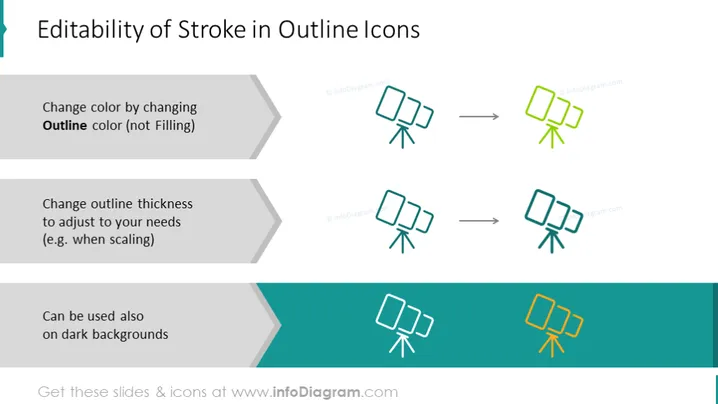
The slide is focused on demonstrating the "Editability of Stroke in Outline Icons". It explains how the color of icons can be changed by adjusting the outline color and not the filling, indicating easier customization. It then illustrates how the outline thickness can be altered to suit various needs, like scaling for different sizes. Finally, it shows that these icons can also be effectively utilized against dark backgrounds, showcasing versatility.
The slide employs a minimalist and professional approach, with a clear visual connection between textual explanations and visual examples. It utilizes contrasting colors for emphasis and clarity.



