
Reviews
Sus gráficos añaden un toque agradable a mis presentaciones y recientemente los usé para una de mis reuniones generales. Su conjunto de herramientas añade profesionalismo a mis diapositivas. En lugar de usar imágenes prediseñadas estándar.
Necesitaba un aspecto fresco para algunas de mis diapositivas. Había intentado encontrar una forma de crear un efecto de pincel, de subrayar, acentuar, añadir algo de color y los marcadores escritos a mano fueron justo lo que necesitaba. Muy fácil de usar, fácil de ajustar el tamaño, cambiar el color. Fue una solución asequible y perfecta, y estoy feliz de recomendarla.
El aspecto nítido y limpio de los gráficos, y el hecho de que me permitiera editar y cambiar fácilmente los colores para que coincidieran con la plantilla fue mi principal razón para comprarlos.
Description
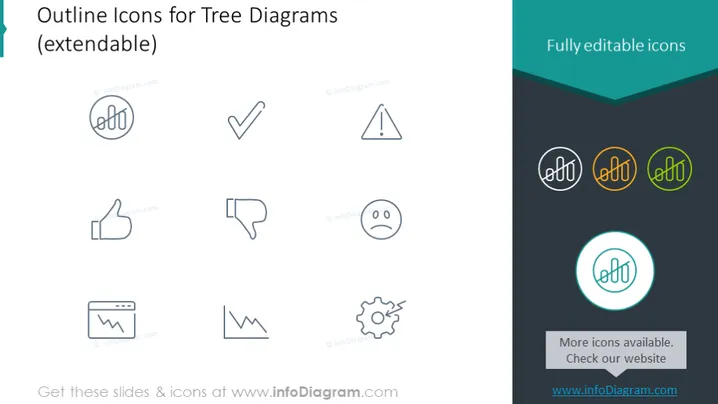
Outline Icons for Tree Diagrams (extendable)
Slide Content
The PowerPoint slide presents a collection of outline icons intended for use in tree diagrams, emphasizing that they are extendable, which means they can be adapted or extended to fit different contexts or applications. These icons are also noted as being "fully editable," suggesting that users can modify them to suit their presentation needs. The icons include a handshake, a check mark, an exclamation mark triangle, a thumbs up, a thumbs down, a sad face, a chart, a heartbeat monitor-style line, and a gear, each icon representing a different concept or action that could be relevant in various diagrams.
Graphical Look
- The slide background is plain white, focusing attention on the content.
- The title is at the top of the slide, with larger text for prominence.
- A dark turquoise banner runs diagonally across the top right corner, containing the text "Fully editable icons" in white.
- Nine outline icons are arranged in a grid format, three across and three down.
- Icons are presented in a light gray color, with a more vibrant version shown circled in the bottom right icon, highlighted with a turquoise circle for emphasis.
- Small text labels below each icon are presumably mentioning the source or the attribution.
- The turquoise theme is continued with a turquoise rectangle at the bottom right, stating "More icons available. Check our website" and the website URL.
The overall look of the slide is minimalist and modern, with a clean design emphasizing the icons. The color scheme is limited to grays, whites, and turquoise highlights, ensuring the slide is not visually overwhelming.
Use Cases
- To illustrate different stages or statuses within a project timeline in a business presentation.
- For enhancing org charts or decision trees to visually convey various outcomes or departments.
- In educational materials to represent different concepts or ideas within a structured lesson plan.
- As visual aids in marketing materials to depict features, benefits, or customer reactions to products or services.
How to Edit
How to edit text & colors

How to expand / shorten diagram

How to Replace Icons in infoDiagram PPT


