
Reviews
Sus gráficos añaden un toque agradable a mis presentaciones y recientemente los usé para una de mis reuniones generales. Su conjunto de herramientas añade profesionalismo a mis diapositivas. En lugar de usar imágenes prediseñadas estándar.
Necesitaba un aspecto fresco para algunas de mis diapositivas. Había intentado encontrar una forma de crear un efecto de pincel, de subrayar, acentuar, añadir algo de color y los marcadores escritos a mano fueron justo lo que necesitaba. Muy fácil de usar, fácil de ajustar el tamaño, cambiar el color. Fue una solución asequible y perfecta, y estoy feliz de recomendarla.
El aspecto nítido y limpio de los gráficos, y el hecho de que me permitiera editar y cambiar fácilmente los colores para que coincidieran con la plantilla fue mi principal razón para comprarlos.
Description
Outline Icons Set — IT Devices
Slide Content
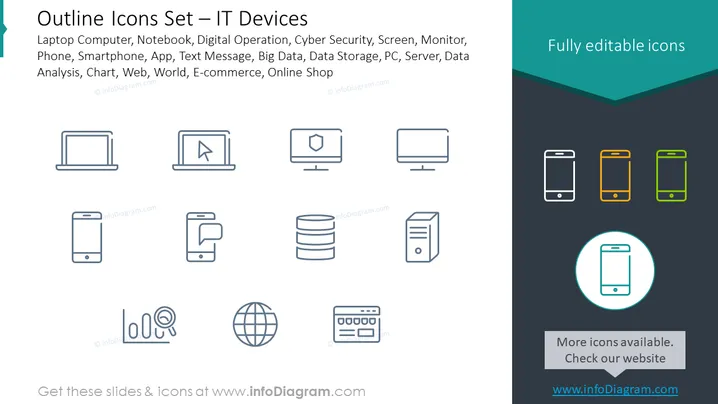
This PowerPoint slide showcases a collection of line icons representing various IT devices and concepts. The slide title suggests that these icons cover a range of technology-related items, from traditional computing hardware like laptops and servers to digital operations and cybersecurity symbols. The accompanying text lists specific items such as "Laptop Computer," "Notebook," "Digital Operation," "Cyber Security," and more. Each icon on the slide stands for a different IT element: the laptop for mobile computing, the shield icon for cybersecurity, a globe for worldwide web access, and so on.
Graphical Look
- The slide background is split diagonally, with a lighter shade at the top and a darker shade at the bottom.
- There is a title area in the top left corner with the slide title in large, bold text.
- A set of line icons is arranged in two rows, with eight icons total, designed with simplicity and minimalism in mind.
- Each icon is paired with a label below it, which is presumably the name of the corresponding IT device or concept.
- Three of the smartphone icons on the right side are colored in green, orange, and green outlines, unlike the rest which are monochrome.
- A highlighted smartphone icon is encircled, drawing attention to it specifically.
The slide design is modern, clean, and professional with a clear focus on the icons. The color accents provided by the three colored smartphone icons add visual interest and highlight these items specifically.
Use Cases
- Introducing various IT devices during a technology-focused presentation or workshop.
- Providing visual aids for a discussion about digital transformation or IT infrastructure.
- Enhancing instructional materials for teaching about technology and information systems.
- Utilizing as part of a user interface design or software development presentation where different device compatibility might be discussed.
How to Edit
How to edit text & colors

How to expand / shorten diagram

How to Replace Icons in infoDiagram PPT


