
Reviews
Ihre Grafiken verleihen meinen Präsentationen eine nette Note, und ich habe sie kürzlich für eines meiner All-Hands-Meetings verwendet. Ihre Toolbox verleiht meinen Folien Professionalität, anstatt Standard-Clipart zu verwenden.
Ich brauchte einen neuen Blick auf einige meiner Folien. Ich habe versucht, einen Weg zu finden, einen Pinselschlag-Effekt zu erzielen, um zu unterstreichen, hervorzuheben, Farbe hinzuzufügen, und die handgeschriebenen Markierungen waren genau das Richtige. Sehr einfach zu bedienen, leicht in der Größe zu ändern, die Farbe zu ändern. Es war eine erschwingliche, perfekte Lösung und ich empfehle sie gerne weiter.
Die klare, saubere Optik der Grafiken und die Tatsache, dass ich die Farben leicht bearbeiten und an die Vorlage anpassen konnte, war mein Hauptgrund für den Kauf.
Description
Outline Icons Set — People and Business
Slide Content
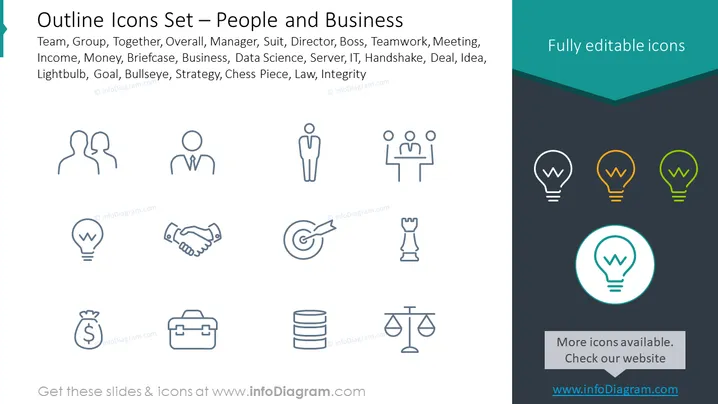
The PowerPoint slide titled "Outline Icons Set — People and Business" presents a collection of minimalist icons representing various concepts in the corporate world. They symbolize teams, management, finance, technology, collaboration, strategy, and legal matters. For example, 'Team' is likely represented by grouped figures, 'Manager' by a figure in a suit, 'Income' with a money bag, 'Data Science' by servers, 'IT' by network symbols, 'Handshake' symbolizing a deal, 'Idea' with a lightbulb, 'Goal' as a target, 'Strategy' with a chess piece, and 'Law' with a balance scale—each icon simplifying complex ideas into readily understandable visuals.
Graphical Look
- The slide has a clean, flat design with icons arranged in three rows and four columns.
- Icons are uniformly styled with thin outline graphics, depicting different business and people-related concepts.
- The color scheme is mostly monochrome for the icons except for a row of lightbulbs, which are colored in gradient shades ranging from gray to green.
- There is a teal banner at the top with the slide title in white text and a darker section at the bottom.
- The icon highlighted in teal with a circle around it, likely placed for emphasis, is located at the bottom right.
- No footer text is present except for the non-descriptive placeholder.
The overall look of the slide is modern and professional, utilizing a flat design aesthetic that enhances clarity and focus on the icons. The contrasting color highlight for the lightbulbs adds a visual interest without overwhelming the design.
Use Cases
- To visually communicate different aspects of business in a presentation without overwhelming the audience with text.
- In educational or training contexts where each icon can be the focus of discussion or represent a module/topic.
- As part of a pitch to investors to quickly convey key areas of a business model or plan. I'm sorry, but it appears there is no image attached for me to analyze and describe. If you provide an image, I'd be happy to assist with describing it according to your instructions.
How to Edit
How to edit text & colors

How to expand / shorten diagram

How to Replace Icons in infoDiagram PPT


