
Reviews
Deine Folien sind meine 'geheime Zutat', wenn es darum geht, meine Ideen Kunden zu visualisieren. Ich spare so viel Zeit.
Ihre Folien führen oft zu guten Kommentaren und Ideen meines Teams, die die endgültigen Folien verbessern.
Description
Outline Icons Set — Status Symbols
Slide Content
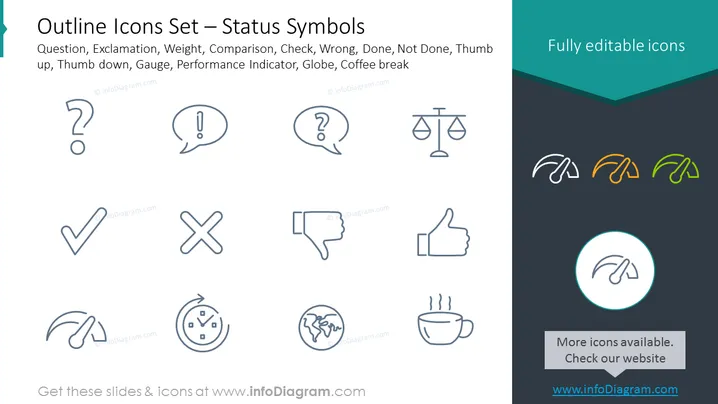
The slide displays a collection of outline-style icons representing various status symbols. The symbols include:
- Question: Typically signifies uncertainty or the need for information.
- Exclamation: Often indicates importance or attention.
- Weight: Symbolizes measurement or the concept of heaviness.
- Comparison: Represents the act of evaluating or contrasting two entities.
- Check: A universal symbol for completion, correctness, or approval.
- Wrong: Denotes error, incorrectness, or rejection.
- Done: Implies a task or process has been completed.
- Not Done: Indicates pending status or incompletion.
- Thumb up: A positive feedback symbol, typically meaning agreement or satisfaction.
- Thumb down: Represents negative feedback, disagreement, or dissatisfaction.
- Gauge: Can signify measurement, often related to performance or pressure.
- Performance Indicator: Reflects metrics, KPIs, or other measurable outcomes.
- Globe: Represents international, global concepts, or the internet.
- Coffee break: A casual symbol for breaks, relaxation, or social time.
Graphical Look
- The slide features a teal header with a darker background gradient transitioning to a lighter teal.
- Each icon is depicted in outline form, and they are uniformly styled for cohesion.
- The icons are displayed in a grid pattern across the slide, each placed equidistantly from one another.
- Colored icons are shown in the top right corner, suggesting the icons' editability.
The overall look of the slide is clean and modern with a professional aesthetic. The use of outline icons on a two-tone background provides high contrast, making the icons stand out.
Use Cases
- Presenting various status indicators in project management or update meetings.
- Enhancing sections of a presentation that discuss performance metrics or KPIs.
- Visually representing user feedback or sentiment analysis in marketing presentations.
- Providing clear visual guides in training materials where different statuses need to be learned and recognized quickly.
How to Edit
How to edit text & colors

How to expand / shorten diagram

How to Replace Icons in infoDiagram PPT


