
Reviews
Your graphics add a nice touch to my presentations and I recently used them for one of my all-hands meetings. Your toolbox adds professionalism to my slides. Instead of using standard clipart.
I needed a fresh look at some of my slides. I've tried to find a way to create a paintbrush effect, to underline, accentuate, add some color and the handwritten markers were just the things. Very easy to use, easy to size, change the color. It was an affordable, perfect solution and I'm happy to recommend it.
The crisp, clean look of the graphics, and the fact that it allowed me to easily edit and change the colors to match the template was my main reason for purchasing them.
Description
Outline Style Icons Set — Business Metaphors
Slide Content
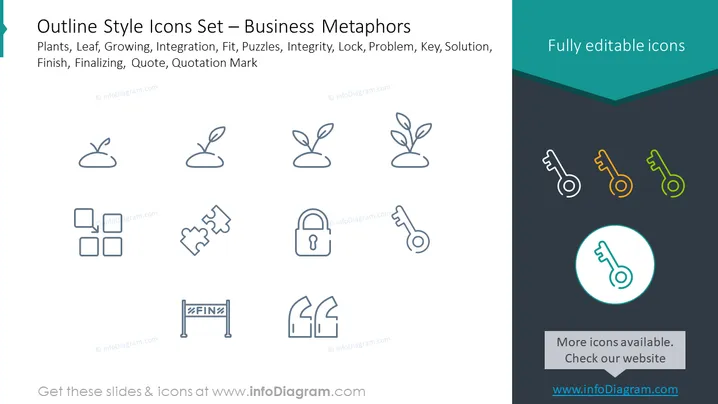
The slide presents a set of business metaphor icons depicting various concepts: plants represent growth or development, puzzles symbolize problems needing solutions or integration, a lock signifies security or an obstacle, a key indicates a solution or access, a finish line suggests completion or a goal, and quotation marks imply communication or highlighting information. These visual metaphors are commonly used in business contexts to abstractly represent these concepts.
Graphical Look
- The slide has a dark teal header and footer with a lighter central area where icons are displayed.
- There are nine icons arranged in three rows, each icon is designed with a minimalist outline style.
- The top row includes three plant-related icons, each showing a different stage of growth.
- The middle row features icons for puzzles pieces and a lock, indicating concepts of complexity and security.
- The bottom row shows a key, a finish banner, and quotation marks, representing ideas of access, completion, and communication respectively.
- The icons are grey, except for three key icons in the right which are orange, yellow, and green.
- In the bottom right corner, one key icon is encircled, highlighted with a blue border and a lighter circle.
- The overall color scheme is subtle, with dark and light shades of teal accented by colorful keys.
The slide's design is clean and professional, using simple graphical elements to convey complex ideas. The color variation of the keys adds a hint of vibrancy to an otherwise monochrome set.
Use Cases
- To visualize abstract business concepts in a presentation, making it easier for the audience to understand.
- In a strategy presentation, to represent different stages of company growth or objectives visually.
- As part of a problem-solving discussion, using the puzzles icon to talk about challenges and the key icon for solutions.
- During educational or training sessions to metaphorically discuss various business-related topics such as security (lock icon) or goals (finish line banner).
How to Edit
How to edit text & colors

How to expand / shorten diagram

How to Replace Icons in infoDiagram PPT


