
Reviews
Your graphics add a nice touch to my presentations and I recently used them for one of my all-hands meetings. Your toolbox adds professionalism to my slides. Instead of using standard clipart.
I needed a fresh look at some of my slides. I've tried to find a way to create a paintbrush effect, to underline, accentuate, add some color and the handwritten markers were just the things. Very easy to use, easy to size, change the color. It was an affordable, perfect solution and I'm happy to recommend it.
The crisp, clean look of the graphics, and the fact that it allowed me to easily edit and change the colors to match the template was my main reason for purchasing them.
Description
Outline Style Icons Set – People and Organizations
Slide Content
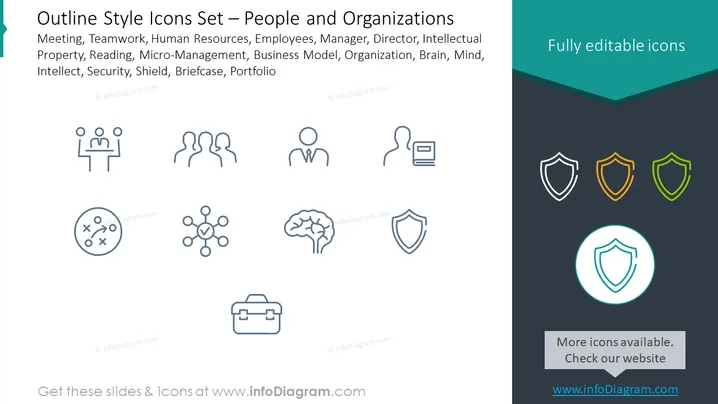
This PowerPoint slide presents a series of outline style icons associated with people and organizations. The icons represent concepts like Meeting (which could indicate coordination or group discussions), Teamwork (collaboration among individuals), Human Resources (management of employee relations and development), Employees, Manager (the individual responsible for overseeing and directing work), Director (a leader in charge of an organization or part of it), Intellectual Property (legal rights over creations of the mind), Reading, Micro-Management (an overly controlling or hands-on management approach), Business Model (a company's plan for generating revenue), Organization, Brain, Mind, Security, Shield (protection or defense), Briefcase (associated with professionalism or work), and Portfolio (a collection of investments or projects).
Graphical Look
- The slide background is divided into white and dark teal sections, with a subtle gradient.
- A broad dark teal header with the text "Fully editable icons" in white.
- Below the header, the title is in light blue text.
- A list of related concepts is aligned to the left, underneath the title, in a lighter grey text.
- Twelve icons are arranged in a grid of three rows and four columns.
- Each icon is styled as a simple outline and depicts a concept mentioned in the list.
- The icons vary in shape, from circular to shield-shaped, and include representations of people, a brain, a briefcase, and more.
- There is a circular badge that encircles one icon, drawing attention to it with a light teal fill.
- A small light grey text box at the bottom suggests additional icons are available on a website.
The slide has a clean and modern aesthetic, with icons evenly spaced and maintaining a coherent outline style throughout. The turquoise highlighting on one icon adds a touch of visual interest and focus.
Use Cases
- Presenting human resources policies or employee management strategies in corporate meetings.
- Illustrating components of organizational structure during a training or educational session.
- Discussing intellectual property and security measures in a legal or business environment.
- Outlining a business strategy or model in which specific roles and concepts are critical to understanding the company's operations.
How to Edit
How to edit text & colors

How to expand / shorten diagram

How to Replace Icons in infoDiagram PPT


