
Reviews
Your graphics add a nice touch to my presentations and I recently used them for one of my all-hands meetings. Your toolbox adds professionalism to my slides. Instead of using standard clipart.
I needed a fresh look at some of my slides. I've tried to find a way to create a paintbrush effect, to underline, accentuate, add some color and the handwritten markers were just the things. Very easy to use, easy to size, change the color. It was an affordable, perfect solution and I'm happy to recommend it.
The crisp, clean look of the graphics, and the fact that it allowed me to easily edit and change the colors to match the template was my main reason for purchasing them.
Description
Outline Icons Set — Consumer Demographics
Slide Content
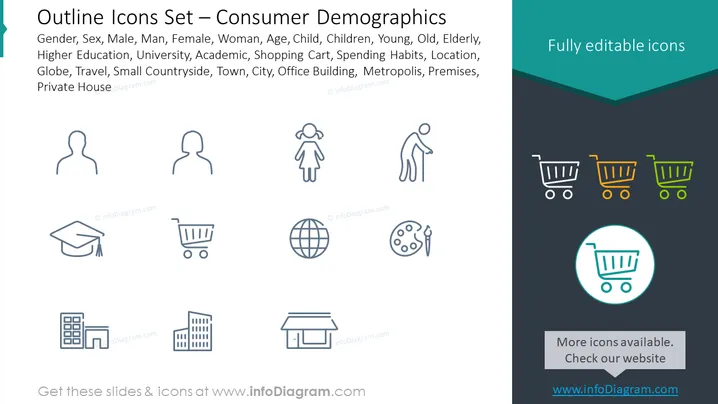
This PowerPoint slide presents a collection of icons representing various aspects of consumer demographics. It includes gender symbols denoting male and female, a representation of different age groups from children to the elderly, an academic cap signifying higher education, a shopping cart for consumer habits, a globe for travel preferences, urban and rural locality symbols including a small house and buildings, suggesting diverse living situations and environments. Each icon visually encapsulates an element of demographic data relevant for marketer analysis or societal studies.
Graphical Look
- The slide background is divided into a dark teal upper section and a lighter teal lower section with a wavy separation line.
- Nine outlined icons are evenly distributed across the slide, three in a row, with a consistent, clean line style.
- Each icon is paired with an adjacent text label identifying its category, such as "Gender," "Age," or "Location."
- At the top right corner, there is a teal-colored rectangle with the text "Fully editable icons" highlighted in white.
- The icons include simple and recognizable representations: silhouette profiles for genders, a figure with a child, an elderly person with a cane, a graduation cap, a shopping cart, a globe, an artist's palette with brushes, and buildings.
- In the bottom right, there is a highlighted icon—a shopping cart—inside a teal circle with a drop shadow, emphasizing its editable feature along with a callout stating "More icons available. Check our website" on a gray rectangular banner.
- The layout is symmetric and balanced, with a strong focus on the icons as the main visual elements.
The overall look of the slide is clean and professional, utilizing a limited color palette to create a harmonious and visually appealing set of icons. The icons are stylized minimally, which makes them versatile for a variety of presentation contexts.
Use Cases
- To present market segmentation data during a marketing strategy meeting, highlighting customer profiles.
- In a demographic analysis report to visually summarize different consumer groups based on age, gender, education, and other factors.
- As part of a business plan or investor pitch to showcase the target audience the product or service aims to reach.
- Within educational settings, teaching students about the importance of understanding consumer demographics in business and research.
How to Edit
How to edit text & colors

How to expand / shorten diagram

How to Replace Icons in infoDiagram PPT


