
Reviews
Ihre Grafiken verleihen meinen Präsentationen eine nette Note, und ich habe sie kürzlich für eines meiner All-Hands-Meetings verwendet. Ihre Toolbox verleiht meinen Folien Professionalität, anstatt Standard-Clipart zu verwenden.
Ich brauchte einen neuen Blick auf einige meiner Folien. Ich habe versucht, einen Weg zu finden, einen Pinselschlag-Effekt zu erzielen, um zu unterstreichen, hervorzuheben, Farbe hinzuzufügen, und die handgeschriebenen Markierungen waren genau das Richtige. Sehr einfach zu bedienen, leicht in der Größe zu ändern, die Farbe zu ändern. Es war eine erschwingliche, perfekte Lösung und ich empfehle sie gerne weiter.
Die klare, saubere Optik der Grafiken und die Tatsache, dass ich die Farben leicht bearbeiten und an die Vorlage anpassen konnte, war mein Hauptgrund für den Kauf.
Description
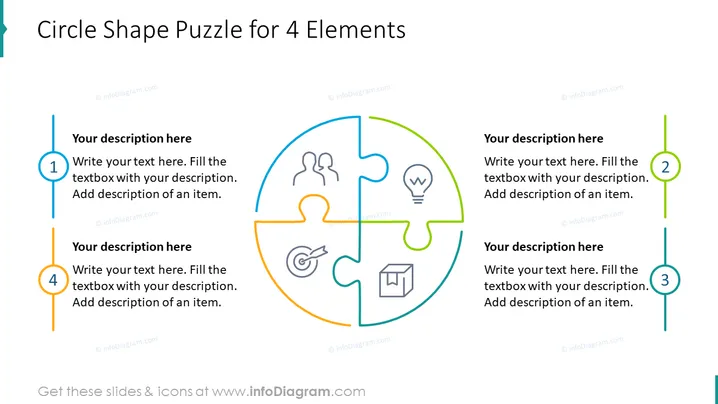
Circle Shape Puzzle for 4 Elements
Slide Content
This PowerPoint slide is designed to explicate a concept or strategy that consists of four interconnected elements. Each quarter of the circle represents a different component, signifying how they fit together to form a complete solution. This format is excellent for illustrating a holistic approach where each element plays a critical role, and it also allows for an at-a-glance understanding of how multi-faceted strategies or systems interlink.
Graphical Look
- The slide background is clean and predominantly white, providing a neutral canvas for content.
- A large, central circle is the focal point, divided into four jigsaw puzzle pieces, each with a unique color and an icon inside.
- Each puzzle piece has a corresponding numbered block on the sides with space for text, matching the color of the puzzle piece.
- Numbered blocks include a bold digit and a placeholder for descriptive text, indicating where additional information should be inserted.
- Icons within the puzzle pieces represent typical business or process concepts such as teamwork, innovation, target achievement, and logistical elements.
- The slide uses a vibrant color palette with blue, orange, green, and teal, which draws attention and aids in differentiating the elements.
The visual composition of the slide is engaging and interactive, with the jigsaw puzzle metaphor instantly conveying the idea of interconnectivity and unity. The numbered text blocks and distinct icons allow for an organized presentation of detailed information alongside a unifying central graphic.
Use Cases
- Demonstrating a business strategy that incorporates four key components, such as product, price, place, and promotion in marketing.
- Outlining an operational process where each stage is critical to the next, thereby emphasizing the importance of each phase in the workflow.
- Presenting a project with four pillars where each part needs to be understood in context with the others, such as in project management frameworks.
- Explaining a complex concept by breaking it down into four more manageable parts, making the content more accessible for educational purposes or stakeholder engagement.
How to Edit
How to edit text & colors

How to expand / shorten diagram

How to Replace Icons in infoDiagram PPT


