
Reviews
Your graphics add a nice touch to my presentations and I recently used them for one of my all-hands meetings. Your toolbox adds professionalism to my slides. Instead of using standard clipart.
I needed a fresh look at some of my slides. I've tried to find a way to create a paintbrush effect, to underline, accentuate, add some color and the handwritten markers were just the things. Very easy to use, easy to size, change the color. It was an affordable, perfect solution and I'm happy to recommend it.
The crisp, clean look of the graphics, and the fact that it allowed me to easily edit and change the colors to match the template was my main reason for purchasing them.
Description
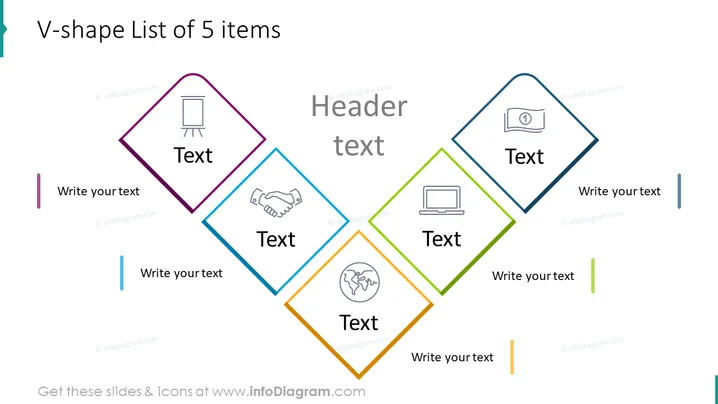
V-shape List of 5 items
Slide Content
The slide is designed to present a list of 5 key points, concepts, or categories. Each point is symbolized by a colored rhombus containing an icon and a placeholder for text, suggesting modularity and a high level of customization. The V-shaped layout insinuates a dynamic or progressive relationship between the items, with each concept potentially leading to the next in a process or sequence.
Graphical Look
- The slide background is white, providing a neutral canvas for the content.
- A V-shape is created by five rhombus shapes, each with a different color outline: purple, blue, teal, green, and orange.
- Each rhombus contains an icon relevant to business or presentation themes: a flipchart, a handshake, a computer, and a globe.
- Below each rhombus is a text placeholder labeled "Text," accompanied by additional text placeholders for explanatory text, all following the rhombuses' respective colors.
- Colors used are vibrant and distinct, enabling clear differentiation between items.
- The rhombus shapes are connected through their corners, suggesting a flow or interconnection between the items.
The overall look of the slide is modern and professional, utilizing geometric shapes and flat-design icons. The color-coded sections and clean lines make it visually appealing and easy to understand.
Use Cases
- Outlining a step-by-step process or workflow in a business presentation.
- Describing key areas of focus in a project proposal or business plan.
- Highlighting essential services or product features during a marketing pitch.
- Summarizing multiple aspects of a topic in an educational or training session.
How to Edit
How to edit text & colors

How to expand / shorten diagram

How to Replace Icons in infoDiagram PPT


