
Reviews
Sus gráficos añaden un toque agradable a mis presentaciones y recientemente los usé para una de mis reuniones generales. Su conjunto de herramientas añade profesionalismo a mis diapositivas. En lugar de usar imágenes prediseñadas estándar.
Necesitaba un aspecto fresco para algunas de mis diapositivas. Había intentado encontrar una forma de crear un efecto de pincel, de subrayar, acentuar, añadir algo de color y los marcadores escritos a mano fueron justo lo que necesitaba. Muy fácil de usar, fácil de ajustar el tamaño, cambiar el color. Fue una solución asequible y perfecta, y estoy feliz de recomendarla.
El aspecto nítido y limpio de los gráficos, y el hecho de que me permitiera editar y cambiar fácilmente los colores para que coincidieran con la plantilla fue mi principal razón para comprarlos.
Description
Outline Icons – Value and Rating
Slide Content
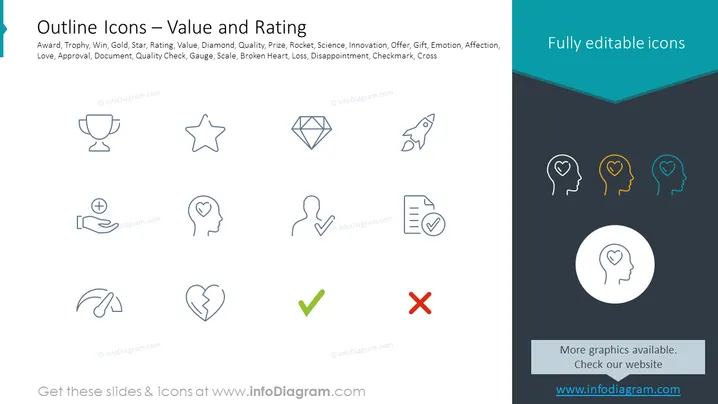
The PowerPoint slide titled "Outline Icons – Value and Rating" presents a series of symbols that represent various concepts associated with value and feedback. The icons include a trophy (achievement), star (quality or popularity), diamond (exclusivity or value), rocket (innovation or growth), and emotive symbols such as a heart (affection or love) and broken heart (loss or disappointment). Additionally, there are icons for a document with a checkmark (approval or completion) and a checkmark or cross (evaluation or decision-making).
Graphical Look
- The slide background is white, providing a clean and neutral canvas for the content.
- A dark turquoise header spans the top with the slide title in white text aligned to the left.
- Below the title, a row of keyword tags associated with the icons' topics in a smaller font.
- A series of line art icons are arrayed in two rows, evenly spaced and centrally aligned on the slide.
- Each icon is monochromatic, using a light shade of gray outlining the symbol.
- To the right, there is a section with a dark background and three colored icons - symbols matching one of the outline icons - presented in a vertical line, captioned 'Fully editable icons'.
- The slide has a left-aligned content area, with a right-aligned dark section creating contrast and visual interest.
The slide exhibits a modern and professional aesthetic with a clear demarcation between the textual content and the icons. The use of color is minimal, drawing attention to the editable icons section.
Use Cases
- To illustrate different aspects of performance and evaluation in a business report or presentation.
- As visual aids in employee training materials, highlighting various metrics of success and areas for feedback.
- In marketing materials to symbolize value propositions, product features, or customer satisfaction metrics.
- During strategy meetings to prompt discussion on company goals related to quality, innovation, and client relations.
How to Edit
How to edit text & colors

How to expand / shorten diagram

How to Replace Icons in infoDiagram PPT


