

Your graphics add a nice touch to my presentations and I recently used them for one of my all-hands meetings. Your toolbox adds professionalism to my slides. Instead of using standard clipart.
Claude Jones, Director of Engineer, @Walmartlabs, USA

Your graphics add a nice touch to my presentations and I recently used them for one of my all-hands meetings. Your toolbox adds professionalism to my slides. Instead of using standard clipart.
Claude Jones, Director of Engineer, @Walmartlabs, USA
I needed a fresh look at some of my slides. I've tried to find a way to create a paintbrush effect, to underline, accentuate, add some color and the handwritten markers were just the things. Very easy to use, easy to size, change the color. It was an affordable, perfect solution and I'm happy to recommend it.
Anonymous, US
The crisp, clean look of the graphics, and the fact that it allowed me to easily edit and change the colors to match the template was my main reason for purchasing them.
Brandie Jenkins, E-learning Developer, USA
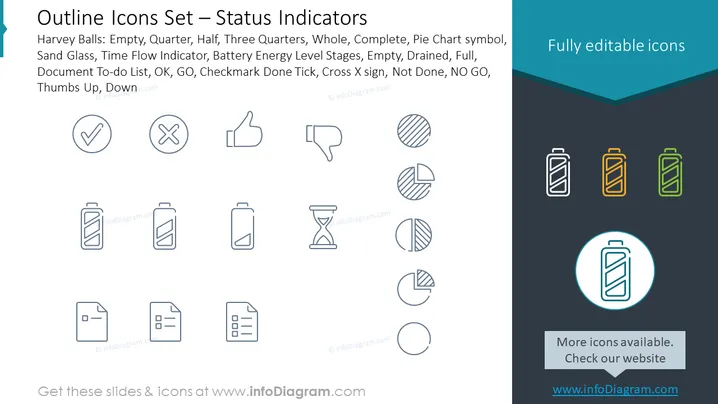
The PowerPoint slide presents a collection of outline icons labeled as "Status Indicators." These icons are meant to signify various stages or statuses through intuitive symbols. The icons include representations for "Harvey Balls": Empty, Quarter, Half, Three Quarters, Whole, and Complete, which are visual indicators depicting the degree to completion often used in comparison tables. Pie Chart symbols illustrate data in a circular graph form. The slide also includes icons for a Sand Glass, often interpreted as a timer or reflects passing time, and a Time Flow Indicator which can depict process progression. The Battery Energy Level Stages show varying levels of battery life: Empty, Drained, and Full, relevant for power status. It also features the typical "Document To-do List", "OK", "GO", "Checkmark Done Tick", "Cross X sign" suggesting completion or rejection, along with "Not Done", "NO GO", "Thumbs Up", and "Down" for approval or disapproval.
The slide has a modern and clean design, utilizing the contrast between the minimalistic icons and the simple background. The outlined icons themselves are standardized and easily recognizable, which contributes to a professional and concise visual presentation .



